

PoE Budget Planning for Business Networks: Cameras, Phones, Wi-Fi, and Switches
Plan a business PoE budget by mapping cameras, access points, phones, door devices, switch capacity, uplinks, redundancy, cabling, and future growth.
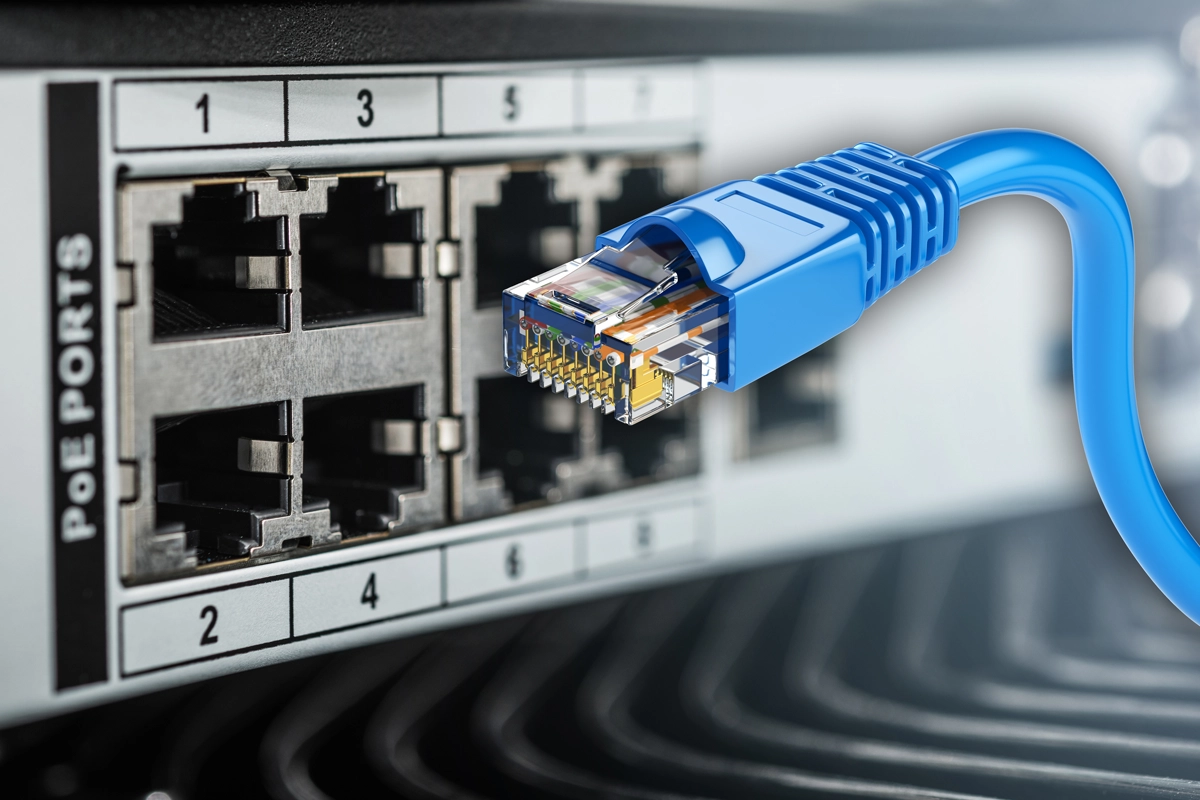
One network switch can have enough Ethernet ports and still be the wrong switch for the project.
Why? Because Power over Ethernet (PoE) devices need both network connectivity and electrical power from the switching infrastructure.
A business adding cameras, Wi-Fi access points, VoIP phones, door devices, intercoms, or other PoE equipment should plan the PoE power budget before installation.
SMART Solutions provides Structured Cabling and Networking services for wired infrastructure, switches, access points, cameras, phones, and connected business environments.
SMART takeaway
Count watts as carefully as you count ports.
A PoE design should account for each powered device, the switch's total available budget, per-port capabilities, cabling, startup behavior, redundancy, and future expansion. Do not assume that 48 PoE-capable ports can all deliver maximum power simultaneously.
Quick answer: what is a PoE budget?
A PoE budget is the amount of power a Power over Ethernet switch or injector can allocate across connected powered devices.
Planning should include:
- Number and type of powered devices
- Required PoE class or power level for each device
- Switch total PoE budget
- Per-port PoE capabilities
- Cable type, distance, and standards compatibility
- Startup or peak power behavior
- Future devices and spare capacity
- UPS runtime and electrical capacity
IEEE 802.3bt expanded standardized Power over Ethernet by using all four pairs and increasing the power available to powered devices while also extending power classification and management capabilities.
Source: IEEE 802.3bt-2018 overview.
1. List every powered device
Do not begin with the switch model.
Begin with the endpoints:
- Wi-Fi access points
- Security cameras
- VoIP phones
- Door-access devices
- Intercoms
- Sensors
- Small network appliances
- Other supported PoE equipment
For each device, record the manufacturer’s required PoE standard or power class and its expected consumption.
Use manufacturer documentation for the actual model rather than assuming every camera or access point consumes the same amount.
2. Separate port count from power capacity
A 24-port PoE switch may support 24 connected devices, but the total power budget can still become the limiting factor.
Think of the design as two separate questions:
- Are there enough Ethernet ports?
- Is there enough PoE power for the connected devices?
Both must be true.
This matters when a network combines low-power phones with higher-power access points, cameras with heaters or illuminators, and other devices that can draw more than a basic endpoint.
3. Check the PoE standard each device needs
Common IEEE PoE generations provide different power capabilities.
Do not treat “PoE” as a single universal number.
The project documentation should identify whether each device expects a particular IEEE standard and whether the selected switch supports it on the intended ports.
IEEE 802.3bt is especially relevant for higher-power equipment because it standardized power delivery across all four pairs.
Source: IEEE 802.3-2022 standard family information.
4. Add the expected device load
Create a simple worksheet:
| Device type | Quantity | Planned power per device | Estimated subtotal |
|---|---|---|---|
| Access points | 6 | Manufacturer value | Quantity × value |
| Cameras | 12 | Manufacturer value | Quantity × value |
| Phones | 20 | Manufacturer value | Quantity × value |
| Door devices | 4 | Manufacturer value | Quantity × value |
The exact numbers should come from the actual product documentation.
Avoid copying a generic online calculator without validating the device specifications.
5. Leave operating headroom
Designing exactly to the theoretical maximum leaves little room for changes.
Headroom can help accommodate:
- Replacement models with higher requirements
- Firmware or feature changes
- Startup behavior
- Future cameras or access points
- Temporary devices
- Expansion to another room or suite
The appropriate reserve depends on the environment and design goals, but planning for zero spare capacity makes future changes harder.
6. Include switch redundancy and failure domains
One giant switch may simplify the power spreadsheet but create a larger failure domain.
Ask:
- What happens if this switch fails?
- Do all cameras go offline?
- Do all phones lose power?
- Does every access point disappear?
- Is there a spare switch or replacement plan?
- Are critical devices distributed across switches?
PoE planning is therefore also a continuity conversation.
Our business internet redundancy guide explains the same principle at the WAN layer: redundancy is only useful when the alternate path actually protects a meaningful dependency.
7. Plan the UPS around the PoE load
A PoE switch can become a concentrated electrical load.
If phones, access points, cameras, and door systems depend on it, the UPS should be sized around the real switch and PoE load, not just the base wattage printed for an empty switch.
Review:
- Switch consumption
- Expected PoE output
- Other equipment on the UPS
- Desired runtime
- Battery condition and replacement plan
Critical devices may justify different runtime priorities than ordinary endpoints.
8. Do not ignore cabling
PoE rides on the structured cabling system.
Poor terminations, damaged cable, inappropriate components, or excessive heat can undermine reliability.
Plan cabling with the intended applications in mind, including:
- Cable category
- Pathways
- Bundles
- Patch panels
- Patch cords
- Testing
- Labeling
- Device locations
Our fiber vs. copper cabling guide and structured cabling guide provide broader physical-layer planning context.
9. Map PoE to Wi-Fi design
Newer access points can have higher power and faster uplink requirements than older devices.
When planning Wi-Fi, review:
- PoE requirement
- Ethernet uplink speed
- Switch port capability
- Cable category
- Available switch power
- UPS impact
A Wi-Fi upgrade can therefore expose switch and cabling limitations even when the access point itself is compatible.
See our commercial Wi-Fi planning guide for coverage, capacity, cabling, PoE, and growth considerations.
10. Map PoE to camera design
Security cameras can create a large cumulative load because there may be many devices across entrances, parking areas, hallways, and critical zones.
Camera features can also affect power requirements.
Do not assume that every camera in the same product family has the same PoE profile. Validate the exact model, especially when using PTZ, heaters, illuminators, or other higher-power features.
SMART Solutions provides Security Cameras & Surveillance alongside network and cabling planning.
11. Document the final port-and-power plan
The handoff should identify:
- Switch name
- Switch model
- Rack or closet
- Port
- Connected device
- Device location
- VLAN or network role
- PoE requirement
- Cable ID
That makes future troubleshooting and expansion significantly easier.
12. Recalculate before adding devices later
A switch that had comfortable headroom on installation day may not have it two years later.
Before adding a new camera, access point, phone, or door device, check:
- Available port
- PoE budget
- Per-port capability
- Uplink capacity
- UPS load
- Cabling path
Small additions can become large reliability problems when nobody updates the design record.
PoE planning FAQ
Can every PoE port deliver maximum power at the same time?
Not necessarily. The switch’s total PoE budget can limit how much power is available across all ports. Review the exact switch documentation.
Does PoE eliminate the need for electrical planning?
No. PoE moves endpoint power delivery into the network infrastructure, which makes switch, UPS, and electrical capacity even more important.
Is PoE only for cameras and phones?
No. PoE is also commonly used for wireless access points, access-control devices, intercoms, and other compatible network equipment.
Can SMART Solutions plan PoE infrastructure?
SMART Solutions provides Structured Cabling, Networking, Wi-Fi, cameras, VoIP, and related infrastructure services that can be planned together.
Authoritative source
Plan power before installation
The right switch is not simply the one with enough ports.
Map the actual powered devices, validate their requirements, size the total budget, leave room for growth, and document the final design.
For help planning cabling, switching, Wi-Fi, cameras, phones, and PoE together, contact SMART Solutions.