

Fiber vs. Copper Cabling for Business Networks: How to Choose the Right Mix
Compare fiber and copper cabling for business networks, including distance, power delivery, endpoints, backbone links, expansion, and hybrid structured-cabling design.
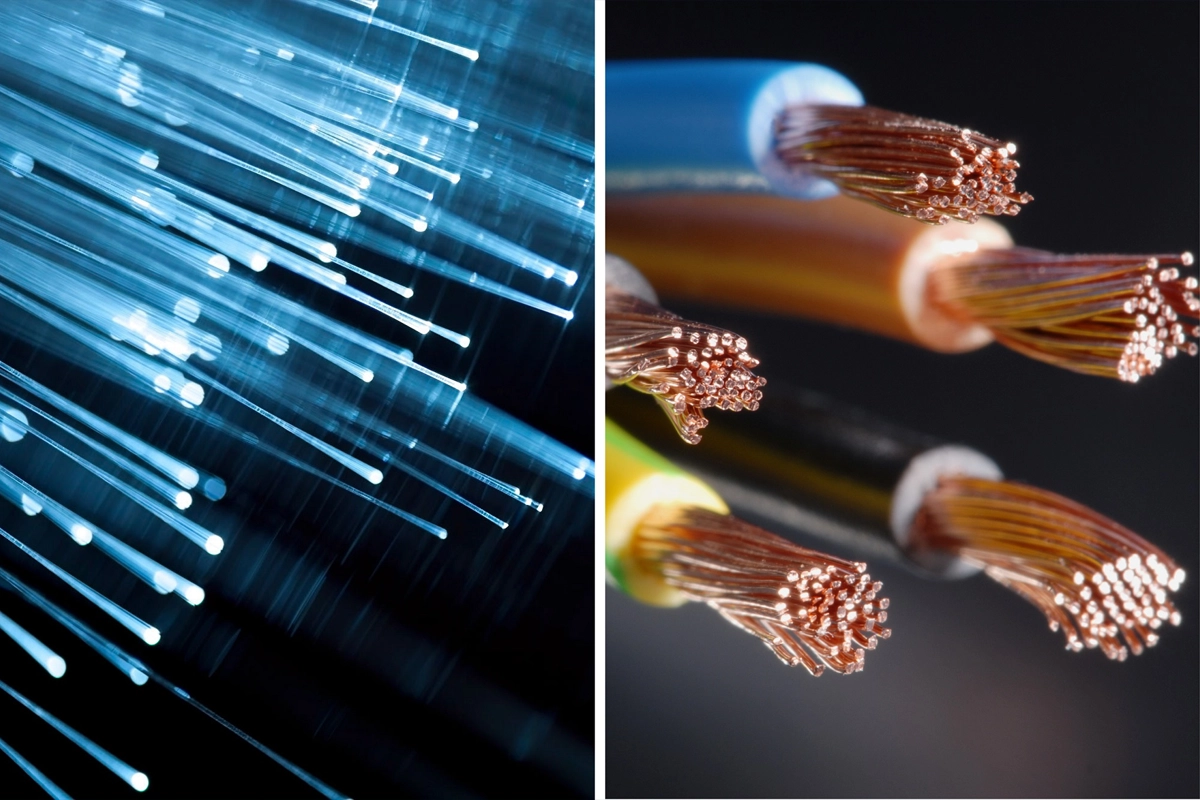
Business cabling decisions are often framed as a simple contest: fiber versus copper.
That is usually the wrong way to plan a network.
Modern commercial networks often use both. Copper can be a practical fit for short horizontal runs to workstations, phones, cameras, access points, and other powered edge devices. Fiber can be a strong choice for backbones, longer distances, high-capacity uplinks, building-to-building connections, and environments where electrical interference or future bandwidth needs matter.
SMART Solutions provides Structured Cabling for data, telephone, network equipment, computer centers, and fiber optic connectivity, so the design can be based on the actual application rather than choosing one medium for every cable run.
SMART takeaway
The best cabling plan is usually application-driven, not material-driven.
Use the device, distance, bandwidth, power, pathway, environment, and future-growth requirements to decide where copper, fiber, or a hybrid design makes sense.
Fiber and copper are both part of structured cabling
The ANSI/TIA-568 family of commercial-building telecommunications standards covers premises cabling systems, including balanced twisted-pair copper and optical fiber.
TIA’s current standards work also includes guidance on the applications and supportable distances associated with copper and fiber systems in the ANSI/TIA-568 series.
Sources:
- TIA — TIA-568 Commercial Building Telecommunications Cabling Standards
- TIA — TSB-6000 Application Channel Attenuation and Supportable Distances
That standards framework reflects how commercial cabling is actually designed: different media are used according to the application and topology.
Start with the network architecture
Before comparing cable types, map the physical network.
Identify:
- Main equipment room or network rack
- Intermediate telecommunications rooms
- Work areas and offices
- Wireless access points
- Security cameras
- VoIP phones
- Servers and storage
- Building-to-building links
- Outdoor or industrial pathways
- Future expansion areas
A cable that is ideal between a desk and a switch may not be the best medium between two buildings or between floors.
1. Copper is often practical at the network edge
Balanced twisted-pair copper is widely used for horizontal cabling to endpoint devices.
That can include:
- Desktop computers
- VoIP phones
- Printers
- Wireless access points
- Security cameras
- Access-control devices
- Conference-room equipment
One major advantage is that copper Ethernet can also deliver power through Power over Ethernet (PoE) when the switch, cabling, and endpoint support the applicable standard.
That can simplify deployment for access points, cameras, phones, and other network devices because one cable can carry both data and power.
For a business designing new cabling, the power requirement should be documented before cable category, switch model, and pathway decisions are finalized.
2. Fiber is often a strong backbone choice
Fiber does not carry electrical current the way copper does.
That makes it useful for links where distance, electrical isolation, capacity, or electromagnetic conditions matter.
Common business uses include:
- Connections between network closets
- Floor-to-floor backbone links
- Building-to-building connections
- High-capacity switch uplinks
- Data-center or equipment-room interconnects
- Areas where electrical interference is a design concern
Fiber is not automatically the right answer for every endpoint. A workstation, phone, or camera may still require copper, a media converter, or specialized hardware.
3. Distance can decide the medium before anything else
Every network application has distance limits that depend on the cabling system, transceivers, protocol, and design.
Do not choose cable based on a generic statement such as “fiber goes farther” without mapping the actual link.
For each planned run, document:
- Physical path length. Include vertical and horizontal routing rather than measuring straight-line distance.
- Application. Identify the Ethernet or other protocol that needs to run over the link.
- Active equipment. Switch ports, transceivers, media converters, and endpoint interfaces all matter.
- Growth requirement. Decide whether the link should support a future upgrade without replacing the cable.
TIA’s TSB-6000 work exists specifically to map applications to the copper and fiber systems defined by the TIA-568 family, which is a good reminder that cabling should be selected as part of a complete channel design.
4. Power delivery strongly favors copper for many endpoints
Fiber carries data using light and does not deliver PoE to an endpoint.
If a device needs network power, the design may need:
- Copper Ethernet from a PoE switch
- Local electrical power at the device
- A powered media converter
- A hybrid cable or specialized architecture
For cameras and wireless access points, this can materially affect installation cost and pathway planning.
That is why SMART Solutions plans Security Cameras & Surveillance and WiFi Network Improvements with the network infrastructure in mind.
5. Fiber can provide electrical isolation between buildings
Building-to-building copper runs require careful engineering because electrical potential differences, grounding, lightning exposure, and surge conditions can create problems.
Fiber provides an optical path instead of a conductive electrical path, which is one reason it is commonly considered for inter-building network links.
The complete installation still needs appropriate pathway, environmental rating, termination, enclosures, and code compliance.
Do not treat “use fiber” as a substitute for a properly designed outside-plant or inter-building installation.
6. Copper category matters
Not all twisted-pair copper is equivalent.
A cabling project should specify the appropriate category, components, connectors, patch panels, patch cords, and test requirements for the intended application.
Avoid mixing a high-performance cable with lower-rated components and assuming the completed channel receives the cable’s rating.
Structured cabling is a system.
The permanent link, patching, connectors, pathway, bend radius, termination quality, and testing all affect the result.
7. Fiber type and optics must match
Fiber design also includes several choices.
The project may need to define:
- Single-mode or multimode fiber
- Fiber strand count
- Connector type
- Transceiver type
- Patch-panel and enclosure design
- Indoor, outdoor, or plenum pathway requirements
- Testing and certification method
- Spare strands for future expansion
SMART Solutions’ current Structured Cabling service specifically includes fiber optic project support for multimode or single-mode needs where applicable.
8. Think about maintenance and troubleshooting
A cabling design should be supportable after installation.
For copper, that means clean patch panels, labels, documented switch ports, and cable certification.
For fiber, that also means documenting strands, connector types, polarity, transceivers, patching, and which optical link serves which destination.
A technically capable link can still become an operational problem if no one can identify it six months later.
9. Plan spare capacity before the ceiling closes
The cheapest cable pathway to expand is usually the one that is still open during construction.
During a new build, renovation, or office relocation, consider:
- Spare copper drops in likely work areas
- Additional fibers or strands in backbone routes
- Conduit or pathway capacity
- Rack space
- Patch-panel capacity
- Switch-port growth
- Future camera and access-point locations
This does not mean overbuilding every project. It means making the future cost visible while pathways are accessible.
Our Structured Cabling in Miami planning guide covers the broader pre-installation questions around pathways, labeling, racks, testing, and technology coordination.
10. A hybrid design is often the practical answer
For many commercial networks, the architecture looks something like this:
- Fiber for major backbone or inter-building links
- Copper for endpoint connections
- PoE copper for cameras, phones, and access points
- Fiber uplinks between switches or telecommunications rooms where the application calls for it
That combination lets each medium do the job it is best suited for.
Planning rule
Do not ask “fiber or copper?” until you know what the link needs to do.
Distance, application, power, environment, active equipment, pathway, testing, support, and future capacity should drive the decision.
Questions to ask before approving a cabling proposal
- Which links are copper and which are fiber?
- Why was each medium selected?
- What applications will each link support?
- Do any endpoints require PoE?
- Are there building-to-building links?
- What cable, connector, and component standards are specified?
- How will every run be labeled?
- What testing will be performed?
- How much spare capacity is included?
- Will the documentation be delivered with the project?
SMART Solutions can combine Structured Cabling with Networking so the physical infrastructure and active network are planned as one system.
If you are building, renovating, expanding, or connecting multiple spaces, contact SMART Solutions to review the cabling architecture before materials are selected.