

UPS Sizing for Business Networks: Load and Runtime
Plan network UPS coverage around critical dependencies, measured load, watt and VA ratings, runtime curves, PoE equipment, shutdown, monitoring, and tests.
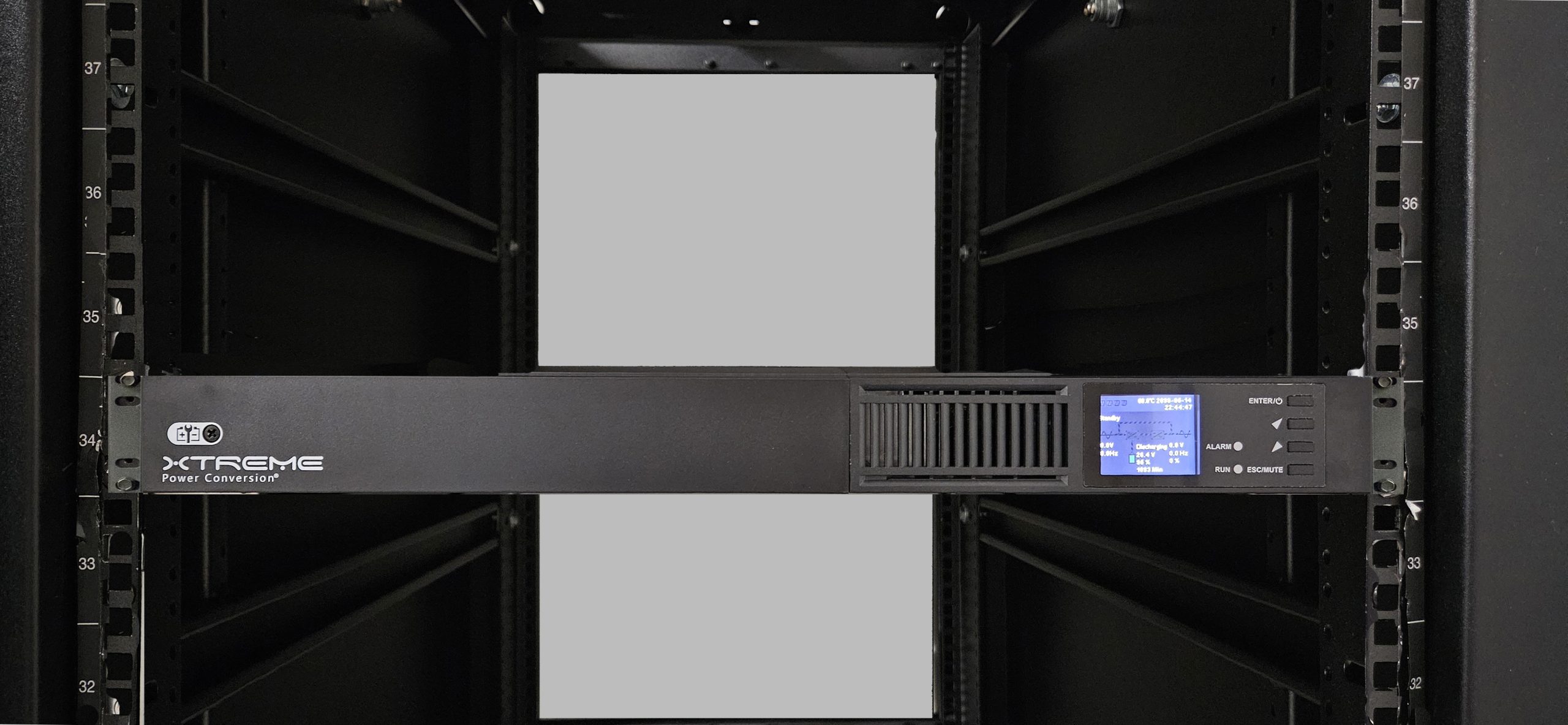
The office has a UPS beside the server, but the internet equipment is connected elsewhere. During a power interruption, the server stays on while employees lose access.
A business network UPS plan should follow the complete workflow. The battery needs to support the devices required for the intended operating period, not simply the most expensive box.
For a South Florida business, backup power is one part of continuity planning. It should connect with the outage procedure, connectivity plan, and decision about when to stop work safely.
SMART takeaway
Capacity and runtime are separate checks.
Identify the essential equipment, estimate its real load, verify the UPS ratings, and use the model's runtime information. Then test the intended business outcome.
Start with the devices that must work together
Map the path behind the workflow: provider equipment, firewall or router, switches, access points, phones, servers, storage, and any recorder or controller needed for the task.
Record which devices use separate power adapters and which receive power through a switch. Include equipment in another closet or near the building’s service entry.
A phone workflow and a server-shutdown workflow may need different equipment. Decide the goal before selecting a UPS.
Use the network documentation checklist to find these dependencies instead of relying on memory.
Separate the three planning questions
- Coverage: which equipment must receive backup power?
- Capacity: can the selected unit support the required electrical load?
- Runtime: how long can it support that load on battery?
Schneider Electric’s UPS Selector guidance describes estimating load by adding expected equipment power draw, notes that nameplate ratings can exceed actual draw, and explains that runtime depends on load and the selected UPS.
Its buying guide distinguishes watt and VA ratings. Check both applicable limits and the model’s documentation rather than treating a VA label as a runtime promise.
Create a load worksheet
For each device, record its location, expected input load, evidence source, connection, and whether it is required throughout the outage.
Use suitable measurements or manufacturer data reviewed by the responsible installer. Include expected peaks and growth in the selection review.
An illustrative equipment group might total 220 watts before the planned headroom. That number alone cannot tell you the runtime. The installer still needs the selected unit’s ratings, battery configuration, and runtime curve.
Do not use a generic “one UPS per rack” rule as a substitute for documenting the actual equipment.
Account for powered devices without double-counting
For PoE switches, ask the implementer how the switch’s input-power estimate accounts for attached phones, cameras, and access points.
If a measured input value already includes the powered devices, adding those same endpoint loads again would distort the worksheet. If the estimate excludes them, the missing load must be included appropriately.
Review the PoE budget guide for the switch-side planning. The PoE budget and the UPS calculation are related, but they answer different questions.
Record assumptions so the next administrator can update the plan after equipment changes.
Choose the intended operating period
Decide whether the UPS is for brief interruption tolerance, time to stop a process, graceful shutdown, or continued operation until another approved power arrangement is available.
Have the business owner approve the required period. The installer should compare it with the manufacturer’s runtime information at the planned load.
Avoid choosing an arbitrary duration because a similar office uses it. Your equipment and operating needs may differ.
Also recognize external limits. Keeping your local equipment powered does not prove that the internet provider, cloud service, or building facilities will remain available.
The internet redundancy guide covers connectivity separately.
Confirm outlets, placement, and compatibility
Check which outlets provide battery backup. Schneider Electric’s guide distinguishes surge-only outlets, which do not consume the battery reserve for attached equipment.
Review the selected model’s input connection, output connections, mounting, environmental requirements, and supported management features.
Have qualified installation personnel resolve circuit or fixed electrical work. Keep the article’s worksheet focused on IT dependencies rather than treating it as an electrical installation design.
Label the protected equipment and document approved connections. A later move of one power adapter can change the actual coverage.
Define the shutdown and restart procedure
If graceful shutdown is the goal, identify the trigger, sequence, responsible person, and supported software or management interface.
Include storage and dependent applications in the sequence. Ask how staff are told to stop using the affected systems.
Write a restart plan as well. Equipment becoming powered again is not proof that applications, recording, or phone registration have recovered correctly.
Use the VoIP continuity guide to connect power planning with customer calls.
Test and keep the worksheet current
Run manufacturer-approved tests with the relevant authorization and a planned operating window. Avoid creating an uncontrolled outage by pulling plugs during ordinary business hours.
Verify the protected equipment, observed runtime under the test conditions, shutdown behavior, and recovery of the intended workflow.
Record battery condition, alerts, test date, and unresolved issues. Update the calculation after adding cameras, access points, phones, or other equipment.
Review UPS coverage alongside the hurricane technology checklist.
UPS planning FAQ
Does a bigger VA number guarantee longer runtime?
No. Compare capacity and runtime at the actual load using the model’s documentation.
Will a UPS keep cloud applications working?
Only if the required local dependencies and external services remain available. Test the complete workflow and document those limits.
Can SMART Solutions review the network dependencies?
SMART Solutions provides network planning and support and device support. Contact our team to review the IT environment and coordinate the applicable installation scope.
A UPS plan is more useful when it identifies the supported workflow, measured load, expected operating period, and tested shutdown path.