

SIP ALG and VoIP: Review the Router Before Changing It
Understand the SIP ALG question, identify your phone deployment and network path, and plan a documented router change with the phone provider.
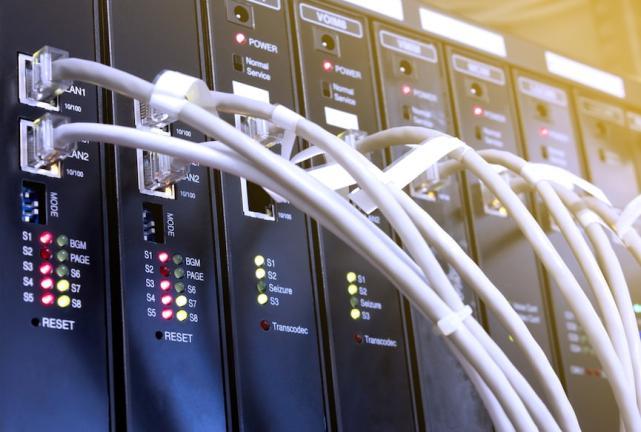
A support conversation about unreliable calls ends with a familiar suggestion: “Disable SIP ALG.” Before anyone changes the router, ask which device, deployment, and call path the recommendation applies to.
SIP ALG means Session Initiation Protocol Application Layer Gateway. The setting is part of the router or firewall discussion around a phone system. The useful business decision is whether a proposed change is supported for the actual environment and how the team will verify the result.
SMART takeaway
Turn a setting recommendation into a controlled support task.
Identify the deployment, obtain the applicable vendor guidance, preserve the current configuration, and agree on tests and rollback before changing a live calling path.
What does the phone vendor say?
The current 3CX firewall and router guide recommends a router without a SIP Helper or SIP ALG, or one where SIP ALG can be disabled. The same guide distinguishes deployment requirements, including on-premises systems and remote phones using the supported connection arrangements.
Treat that as guidance for a 3CX environment, not a universal diagnosis for every phone platform. Have the phone administrator identify the installed platform, deployment type, router model, firmware, and relevant provider requirements.
A setting copied from another office may not describe the equipment carrying your calls. Obtain the documentation that applies to the proposed work rather than translating a menu label into an assumption.
Draw the path the affected call uses
Record where the phone or application connects, which router or firewall it passes through, and which team manages that device. Include an ISP-managed gateway if one is part of the path.
Ask the technical owner to identify any additional network device between the office and the service. The business contact does not need to diagnose that topology; the goal is to ensure that the provider and network administrator are discussing the same environment.
The network documentation checklist can help organize the handoff. A short, current record is more useful than a diagram that omits a recently replaced gateway.
Preserve a baseline before the change
Describe the reported symptom using a small set of representative calls. Record call direction, approximate time and time zone, affected extension, device, and network connection. Use only the personal information the authorized support team needs.
Distinguish a call that does not connect from one-way audio, choppy speech, or a transfer problem. A successful website speed test is not a record of what happened during an affected call.
The VoIP call-quality troubleshooting guide provides a broader evidence-gathering process. Use that record to select the tests that will be repeated after the change.
Ask for a scoped change plan
Have the responsible administrator record the proposed device and setting, the supporting vendor documentation, the maintenance window, and the expected effect. Identify who can authorize and perform the change.
Request a supported way to preserve the current configuration and return to it if the result is unacceptable. Keep configuration exports and administrative credentials in the approved support location, not an email chain available to everyone involved.
For some environments, the ISP or another managed-service provider must perform the router change. Confirm that ownership before scheduling work. Avoid leaving one team waiting for access another team assumed it already had.
Do not combine an isolated test with several unrelated router changes. Agree what evidence will be compared and how a failed test will be investigated.
Verify the calling tasks the business depends on
Create an acceptance list based on the affected environment. It may include inbound and outbound calls, two-way audio, transfers, remote applications, and the phone destinations staff actually use.
| Test record | What to capture |
|---|---|
| Before | Symptom and representative call path |
| Change | Device, supported setting, administrator, and time |
| After | Same approved calling tasks and observed results |
| Decision | Retain, investigate further, or roll back |
Keep required emergency-calling arrangements in the provider’s supported verification process. Do not place an uncoordinated emergency call as an informal test or change live calling controls without an approved plan.
A passing result should identify the environment tested. It does not establish that a separate remote office, home router, or different provider path has also been checked.
Close the support record
Record whether the original symptom changed and which observations support the conclusion. If it remains unresolved, assign the next investigation to a named team with the call references and configuration context it needs.
- Phone platform, deployment, and router path identified
- Applicable vendor guidance reviewed
- Baseline symptoms and representative tests recorded
- Change owner, maintenance window, and rollback agreed
- Results documented without claiming a universal fix
SMART Solutions provides VoIP phone system planning and support. Contact our team with the current equipment details and a few affected call examples so the review can start with the actual calling environment.