

Commercial Burglar Alarm Systems in Miami: 10 Things Businesses Should Plan Before Installation
Planning a commercial burglar alarm in Miami? Review detection zones, false-alarm reduction, monitoring, backup power, permits, user access, testing, and integration before installation.
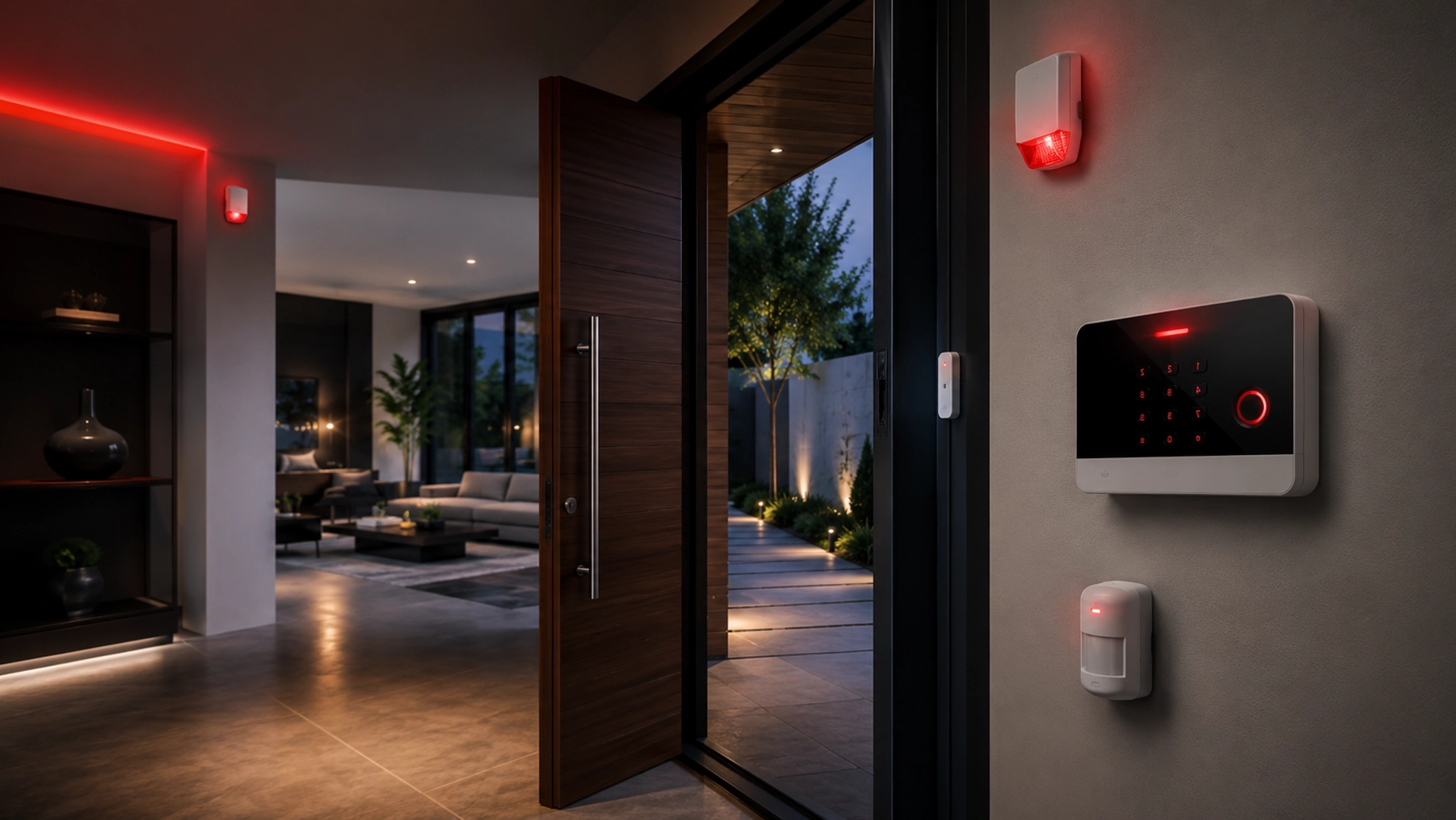
A commercial burglar alarm should do more than make noise after a door opens.
It should match the way the business actually operates: which entrances are used, which areas are sensitive, who opens and closes the facility, what happens after hours, how an alarm is verified, who receives alerts, and what the system should do during a power or communications problem.
That planning matters even more in Miami and South Florida, where businesses may also need to account for local alarm registration, commercial low-voltage permitting, false-alarm rules, multi-tenant spaces, remote management, and integration with cameras or access control.
SMART Solutions provides Intrusion & Burglar Alarms designed around doors, windows, motion areas, property layout, routines, and risk areas. The current service can include entry-point protection, motion detection, panic options, monitoring-ready components, remote-control options depending on the selected system, installation, configuration, and testing.
SMART takeaway
Design the alarm around the business workflow, not around a box of sensors.
A reliable commercial alarm plan defines what should be detected, who can arm or disarm, how signals are communicated, how false alarms are reduced, what happens during outages, and how the system will be tested after installation.
Quick answer
Before installing a commercial burglar alarm, plan these ten areas:
- Map the real risk areas. Identify doors, windows, loading areas, vulnerable rooms, after-hours zones, and high-value spaces.
- Choose detection by purpose. Door contacts, motion detection, glass-break detection, panic options, and other devices solve different problems.
- Define zones and schedules. Decide what should stay active, what can be bypassed, and how opening and closing should work.
- Plan users and credentials. Separate employees, managers, vendors, and temporary users instead of sharing one code.
- Choose communication and backup paths. Consider how alarm signals and alerts continue during internet or power problems.
- Define monitoring and response. Decide who receives a signal, who verifies it, and what escalation path follows.
- Reduce false alarms deliberately. Equipment settings, user training, entry/exit timing, and good procedures matter.
- Verify Miami-area permit and registration requirements. Requirements can differ by jurisdiction and by wired versus wireless work.
- Plan integrations intentionally. Cameras, access control, and networked systems should support the alarm workflow rather than create new complexity.
- Document testing and maintenance. A system that is never tested can slowly become a system nobody trusts.
1. Start with the property, not the equipment list
The first planning question is not Which alarm panel should we buy?
It is What are we trying to detect?
Walk the property and identify:
- Primary customer and employee entrances
- Emergency and rarely used exits
- Ground-level windows
- Loading docks and delivery doors
- Rear or side entrances with limited visibility
- Server, network, inventory, cash, records, or equipment rooms
- Shared hallways or common areas in multi-tenant buildings
- Roof, garage, warehouse, or exterior access points where applicable
- Areas that remain occupied after normal business hours
A retail store, medical office, warehouse, professional office, restaurant, and multi-tenant commercial building can all need very different alarm logic even if the floor area is similar.
SMART Solutions’ current Intrusion & Burglar Alarms process begins by identifying risk areas, entry points, windows, interior movement areas, and vulnerable zones before recommending devices.
That order is important.
Equipment should follow the risk map.
2. Match each detection method to a specific job
Different alarm devices answer different questions.
A door contact can tell the system that a protected door opened.
A motion detector can identify movement inside a protected area.
A glass-break detector may help identify a different intrusion path.
A panic or duress option can support a manual alarm workflow where the business needs one.
The goal is not to install every possible sensor.
The goal is to create enough layers that a realistic intrusion path is detected without making normal business activity impossible.
Ask practical questions such as:
- Does an employee legitimately enter this door before opening time?
- Will cleaning staff still be present after the public area closes?
- Could HVAC movement, pets, curtains, equipment, or environmental conditions affect a sensor location?
- Does a warehouse bay need different detection from an office corridor?
- Should a sensitive room remain armed even while another part of the business is open?
A good design minimizes the need for employees to invent workarounds.
3. Define alarm zones before you define user habits
Commercial alarm systems become much easier to operate when zones reflect the organization.
For example, a business may want separate control over:
- Reception and public areas
- Office areas
- Warehouse or stock rooms
- Server or communications rooms
- Executive or records areas
- Rear entrances
- Loading zones
- Separate suites or departments
This can allow one area to remain protected while another area is in use, depending on the selected equipment and configuration.
It also makes troubleshooting easier.
An alert that says Zone 14 is less useful than an alert that identifies the actual door, room, or area.
Document the zone names in language employees understand.
4. Give people their own alarm access
Shared alarm codes are convenient until the business needs to answer a simple question:
Who armed or disarmed the system?
Where the selected system supports individual users, give each authorized person an identifiable credential or code instead of relying on one shared code for the whole staff.
Then define roles.
- Who can arm the system?
- Who can disarm it?
- Who can add or remove users?
- Who can change schedules?
- Who receives alerts?
- Who can place the system in test mode?
- Who can request service?
- What happens when an employee leaves the company?
Do the same for temporary users.
A contractor, cleaning company, property manager, or after-hours vendor should not automatically receive the same access as the business owner or system administrator.
If remote alarm control is enabled, treat that access like any other important business account: use unique accounts, protect the associated email or mobile account, and remove access when it is no longer required.
Our phishing-resistant MFA guide explains why stronger authentication matters for business systems that support it.
5. Plan how the alarm communicates when something goes wrong
The alarm system has to do two jobs during an incident:
- Detect the event.
- Communicate the event to the right destination.
That second job deserves its own design review.
Depending on the selected platform, monitoring arrangement, and site infrastructure, alarm communication may rely on IP, cellular, radio, or another supported path.
Ask:
- What communication path does the system use?
- What happens if internet service goes down?
- What happens if the router or network equipment loses power?
- Does the alarm communicator depend on equipment outside the protected enclosure?
- How is a communication failure reported?
- Which parts of the system have backup power?
- How long should the business expect the system to remain operational during an outage?
Do not assume that a battery inside the alarm panel automatically protects every device or network component involved in the communication path.
Miami-Dade County’s burglar-alarm ordinance for areas under its jurisdiction specifically requires a backup power supply for burglar alarm systems covered by the ordinance.
Source: Miami-Dade burglar alarm ordinance
The exact technical and legal requirements for a project depend on the system, property, and jurisdiction, so confirm them during design rather than treating this article as permit or code advice.
6. Decide what monitoring and response should actually mean
“Monitored alarm” can sound like one simple feature, but the response workflow should be explicit.
Define:
- Where alarm signals are sent
- Which signals require verification
- Which contacts are called and in what order
- What happens if the first contact does not answer
- When law enforcement or another responder may be contacted
- How panic or duress signals are handled
- How opening, closing, trouble, and communication-loss events are treated
UL Solutions describes central-station burglar alarm service as a model where signals are sent to a monitoring station, recorded and processed by trained operators, with the specific operation and response defined between the service provider and subscriber.
UL also identifies UL 681 for installation and classification of burglar and holdup alarm systems and UL 827 for central-station alarm services.
Source: UL Solutions — Security Alarm Service Certification
Some insurers, property owners, regulated environments, or other stakeholders may require a particular certification or monitoring arrangement.
Do not assume one monitoring package satisfies every requirement. Confirm what your insurer, landlord, contract, or applicable authority actually requires.
7. Treat false-alarm reduction as part of the design
A false alarm is not only annoying.
It can train employees to ignore alerts, consume responder resources, create fees or enforcement problems, and reduce confidence in the system.
The Security Industry Association’s ANSI/SIA CP-01-2019 standard focuses specifically on design features intended to reduce false alarm dispatches for residential and commercial electronic security systems.
Source: Security Industry Association — ANSI/SIA CP-01-2019
False-alarm reduction should include both technology and operations.
Review:
- Entry and exit delay settings
- Clearly identified zones
- Correct sensor placement
- Opening and closing procedures
- User training
- Updated emergency contacts
- Maintenance for loose contacts, weak batteries, or damaged devices
- Procedures for vendors and cleaning staff
- Testing before dispatch-enabled service goes live
False-alarm reality
A technically working system can still be operationally unreliable.
If employees do not understand entry delays, codes, schedules, bypasses, contacts, or test procedures, the system can generate avoidable alarms even when every sensor is functioning correctly.
8. Verify Miami-area permits and alarm registration before installation
This is where local planning matters.
There is no single “Miami alarm permit” rule that covers every address in South Florida.
The applicable process depends on the authority having jurisdiction, the municipality, the building type, and whether the work is wired or wireless.
Miami-Dade County permitting example
Miami-Dade County’s current electrical-permit guidance says certain low-voltage exemptions apply to specified residential work, while permits are required for commercial work, including multi-family buildings and commercial renovations or alterations.
The county also states that burglar-alarm labels are issued for commercial work and that wireless alarm systems are treated differently from hardwired systems under the cited exemption.
Source: Miami-Dade County — Electrical Permits
City of Miami registration example
The City of Miami Police Department maintains a dedicated Alarm Ordinance Unit portal for burglar alarms. The current portal includes alarm-system registration, permit renewal, false-alarm information, fee schedules, contact updates, and notice that a police response to a non-registered alarm can generate an invoice.
Source: City of Miami Police — Alarm Ordinance Unit
These are examples of why jurisdiction must be checked early.
A business in the City of Miami, unincorporated Miami-Dade County, Coral Gables, Doral, Hialeah, Miami Beach, Broward County, or Palm Beach County may have a different process.
Before installation, identify:
- The exact property jurisdiction
- Whether a permit, label, registration, or renewal applies
- Who is responsible for submitting it
- Whether monitoring changes the registration requirement
- How false alarms are tracked
- How owner or emergency-contact changes must be reported
Local rules and fees can change. Verify the current requirements directly with the applicable authority before relying on a project estimate or old registration.
9. Plan cameras and access control as related systems, not substitutes
A burglar alarm, security-camera system, and access-control system answer different questions.
A burglar alarm is primarily concerned with detecting and reporting a protected event.
A camera helps provide visual context and recorded evidence.
Access control manages who is authorized to use a door or controlled area.
A stronger security design can coordinate them when appropriate, but they do not replace one another.
For example:
- A door contact can report that a protected door opened.
- Access control can identify the credential used at that door.
- A nearby camera can show what happened visually.
SMART Solutions provides Security Cameras & Surveillance and broader Security services alongside intrusion and burglar alarms.
Our security cameras vs. access control guide explains why visibility and entry authorization solve different parts of the physical-security problem.
If the project also depends on switches, routers, remote access, or connected security devices, a Network & Security Assessment can help identify infrastructure gaps before additional systems are added.
10. Finish with testing, documentation, and a maintenance routine
Installation is not complete when the last sensor is mounted.
A commercial alarm system should be tested as an operating workflow.
A useful acceptance test can include:
- Verify each zone. Confirm every door, window, motion area, panic option, and other device reports correctly.
- Test arming modes. Confirm the expected zones are active in each mode or schedule.
- Test users. Verify authorized users can operate the system and unauthorized users cannot.
- Test communications. Confirm signals and trouble conditions reach the intended destination.
- Test alerts. Confirm the correct contacts receive notifications.
- Test power-loss behavior. Verify the system responds as designed during a controlled power interruption.
- Test normal opening and closing. Make sure real employees can use the system without creating avoidable alarms.
- Document the final configuration. Record zones, contacts, schedules, administrators, service information, and any permit or registration details.
UL Solutions notes that security-alarm service programs evaluate installation, maintenance, testing, inspection, monitoring, communications, and related service processes.
Source: UL Solutions — Security Alarm Service Certification
After launch, create a recurring review for:
- Emergency contacts
- Former employees and old user codes
- Battery or trouble alerts
- False-alarm history
- Communication failures
- Doors or rooms added during renovations
- New cameras or access-control integrations
- Changes in opening/closing schedules
- Permit or registration renewal requirements where applicable
Questions to ask before approving a commercial alarm proposal
A proposal should make the operating model clear, not just list hardware quantities.
Ask:
- Which doors, windows, rooms, and movement areas are actually being protected?
- Why was each type of detector selected?
- How are zones named and grouped?
- Can users have separate credentials or codes?
- How is remote access administered?
- What communication path does monitoring use?
- What happens during an internet outage?
- What backup-power assumptions are included?
- How are false alarms reduced?
- Who handles local permit, label, or registration requirements?
- What testing is performed before handoff?
- What documentation does the business receive?
- What maintenance or support is available after installation?
A better Miami burglar-alarm project starts with the operating plan
Commercial security is easier to manage when the alarm system matches the property, people, and response process from the beginning.
SMART Solutions’ Intrusion & Burglar Alarms service is designed around the layout, entry points, movement areas, routines, and risk areas of the property rather than a one-size-fits-all device list.
If your Miami or South Florida business is planning a new alarm system, replacing an older panel, adding protection during a renovation, or trying to reduce false alarms, contact SMART Solutions to review the property and build a practical security plan.
Sources and further reading
- Security Industry Association — ANSI/SIA CP-01-2019 False Alarm Reduction Standard
- UL Solutions — Security Alarm Service Certification
- UL Solutions — Certification for Commercial Premises Security Systems
- Miami-Dade County — Electrical Permits
- Miami-Dade County — False Alarm Enforcement Unit
- Miami-Dade burglar alarm ordinance
- City of Miami Police — Alarm Ordinance Unit