

Commercial Access Control Systems in Miami: 10 Things Businesses Should Plan Before Installation
Planning commercial access control in Miami? Learn what to decide about doors, credentials, schedules, networking, logs, integrations, administration, and future growth before installation.
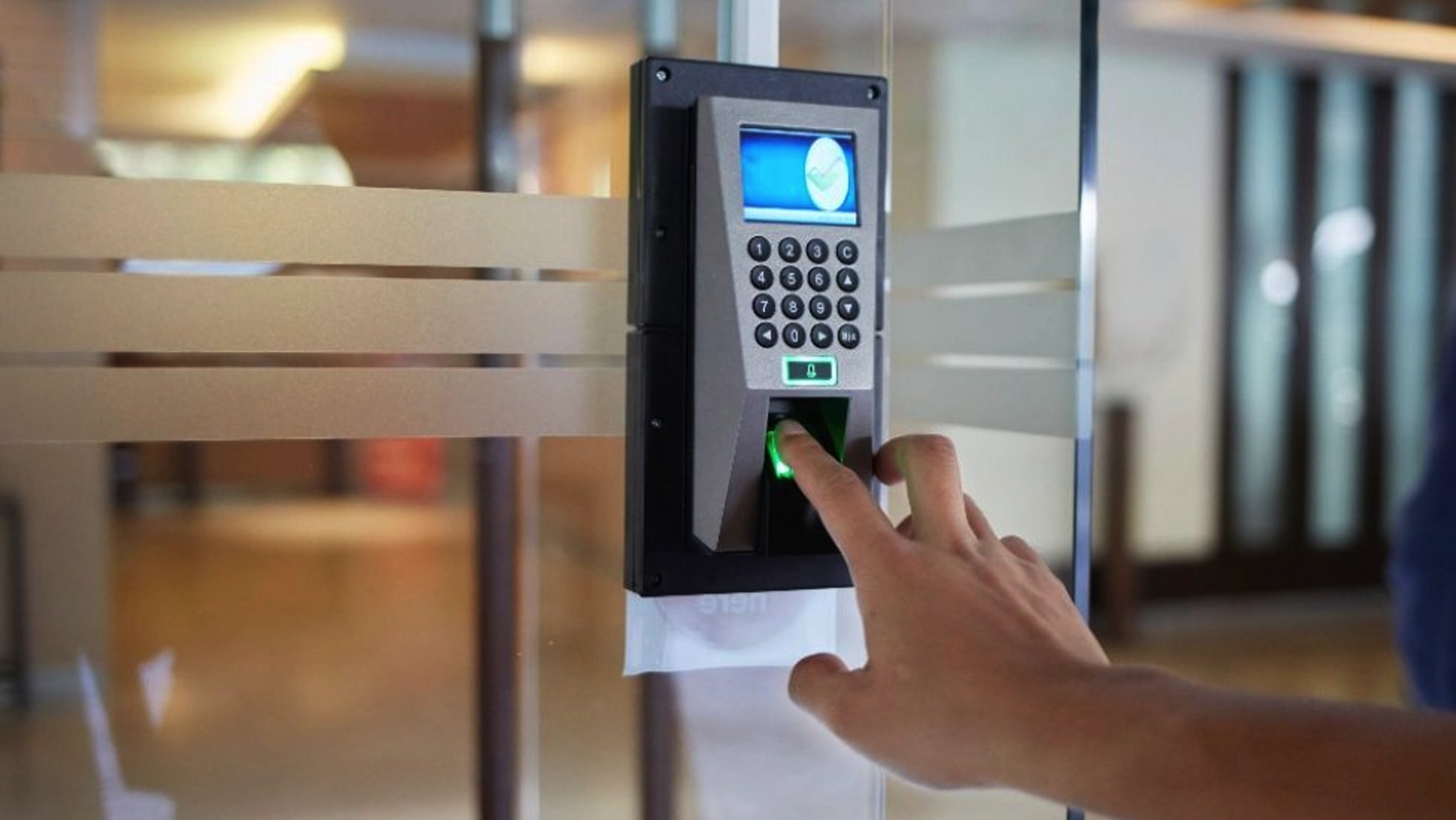
A commercial access control system is not just a replacement for metal keys.
It is a set of decisions about who can enter, where they can enter, when they can enter, how access is granted, what happens when something fails, and who is responsible for managing the system after installation.
That is why access control projects can become frustrating when businesses start with a reader, keypad, or badge before they define the operating rules behind the door.
For Miami and South Florida businesses, the planning can involve offices, warehouses, retail locations, medical or dental facilities, gated areas, shared buildings, storage rooms, server rooms, employee entrances, and customer-facing spaces.
SMART Solutions helps businesses plan security systems that can include access control, cameras, alarms, remote-access options, and network/security assessment around the real property and daily operations.
SMART takeaway
Design the access rules before choosing the access hardware.
A reliable commercial access control system starts with doors, people, schedules, responsibilities, and failure scenarios. Readers and credentials should support that plan, not define it.
Quick answer
Before installing a commercial access control system, a business should identify the doors and areas that actually need controlled entry, decide how employees and visitors will receive credentials, define access schedules and roles, plan what happens when credentials are lost or staff leave, confirm the door and network infrastructure, determine who will administer the system, decide whether cameras or other security systems need to integrate, and leave room for future doors and locations.
The goal is not to put a reader on every door.
The goal is to make access easier to manage without making daily operations harder.
What is a commercial access control system?
Commercial access control manages entry to buildings, doors, rooms, gates, and restricted spaces using electronic credentials and defined access rules.
Depending on the system, credentials may include:
- Cards
- Key fobs
- PIN codes
- Mobile credentials
- Other supported electronic identifiers
The system can then apply rules such as:
- Which doors a person can use
- Which days and times access is allowed
- Which credentials are active or revoked
- Which events should be logged or reviewed
- Which areas require a different level of permission
ONVIF Profile A specifically standardizes access-control functions such as granting and revoking credentials, creating schedules, and assigning access rules between conformant clients and devices.
Source: ONVIF — Profile A
That is a useful way to think about the system: the reader is only one piece of a larger access policy.
1. Decide which doors actually need controlled access
Start with the property, not the product catalog.
Walk the building and identify the doors, gates, and rooms where electronic access would solve a real problem.
Common examples include:
- Main employee entrances
- After-hours entrances
- Server or network rooms
- Inventory and storage rooms
- Administrative areas
- Medication or supply rooms
- Warehouse access points
- Parking or vehicle gates
- Shared tenant areas
Not every interior door needs electronic control.
Adding unnecessary controlled doors increases hardware, wiring, credential-management, testing, and maintenance requirements without necessarily improving the security outcome.
A practical design asks two questions for every opening:
Why does this door need controlled entry?
What risk or operational problem does the control solve?
SMART Solutions’ current security process begins with reviewing the property, concerns, access points, and security priorities before recommending cameras, alarms, access-control options, or monitoring-ready components.
2. Define people and roles before creating credentials
Businesses often think about individual employees one at a time.
Access control becomes easier to manage when permissions are based on roles first.
For example:
A role-based plan makes onboarding and offboarding easier because the business can start from an established permission model instead of rebuilding access from memory every time someone joins or changes jobs.
ONVIF Profile A supports standardized configuration of credentials, access rules, and schedules, which reflects these same core administrative concepts.
Source: ONVIF — Profile A
3. Choose credentials around the workflow, not novelty
Cards, key fobs, PINs, and mobile credentials can all be useful in the right environment.
The better question is not which credential feels most modern.
It is which credential employees can use consistently and administrators can manage reliably.
Review questions such as:
- How many people need credentials?
- How frequently do employees join or leave?
- Will contractors or visitors need temporary access?
- Are employees allowed to use personal phones for business access?
- What happens when a card, fob, phone, or PIN is lost?
- How quickly can an administrator revoke access?
- Will more than one credential type be needed?
ONVIF Profile D addresses interoperability for access-control peripherals such as token readers for cards, keys, mobile phones or bar codes, biometric readers, keypads, sensors, and locks.
Source: ONVIF — Profile D
The presence of many credential options does not mean every business needs all of them.
Consistency and manageability matter more than feature count.
4. Build schedules around real operating hours
Access should not automatically mean 24-hour access.
A business may need different schedules for:
- Normal office hours
- Opening and closing staff
- Night or weekend employees
- Cleaning crews
- Vendors and contractors
- Temporary projects
- Holiday schedules
- Managers with after-hours responsibilities
This is where access control can be materially easier to manage than distributing physical keys.
Instead of asking only whether someone has a key, administrators can define whether a credential should work at a particular door during a particular time window.
ONVIF Profile A explicitly includes creating schedules and assigning access rules as standardized access-control functions.
Source: ONVIF — Profile A
Before installation, write down the actual access schedule for each employee group.
Do not leave that policy to be invented during programming day.
5. Plan the credential lifecycle before the first badge is issued
The system needs a process for the entire life of a credential.
That includes:
- Issuing the credential
- Assigning the correct permissions
- Changing permissions when a role changes
- Temporarily disabling access when appropriate
- Replacing lost credentials
- Revoking access when employment or a contract ends
- Reviewing old or unused credentials
The most advanced reader in the world does not help if former employees remain active because nobody owns the offboarding process.
Define the administrator responsible for credential changes and the business process that tells that administrator when a change is required.
For many small businesses, this is where access-control design becomes an operations project as much as a security project.
6. Treat the door hardware and network as part of the system
An access-control project is not only software.
The physical opening can involve readers, locks, sensors, controllers, power, cabling, network connectivity, and the existing door hardware.
That means the planning should review:
- Existing lock and door condition
- Reader location
- Controller location
- Power availability
- Cable pathways
- Network connectivity where required
- Door-position monitoring where supported
- How the opening behaves during normal and abnormal conditions
SMART Solutions’ Network & Security Assessment is specifically positioned for properties adding cameras or access control, and its process reviews connectivity, security devices, access points, and the current technology layout before creating an improvement plan.
For projects where the security platform depends on IP connectivity, the broader Network & Connectivity environment should also be part of the design conversation.
Infrastructure reality
A smart reader cannot compensate for a poorly planned door, power path, cable route, or network.
Treat the opening as one complete system: physical door, lock, reader, controller, power, network, credential policy, and administration.
7. Ask how the reader communicates with the controller
Interoperability matters most when the business wants a system that can be maintained or expanded without creating unnecessary dependence on one proprietary connection method.
The Security Industry Association’s Open Supervised Device Protocol (OSDP) is an open communications standard used between access-control panels and peripheral devices such as card readers.
SIA describes OSDP as designed to improve interoperability, cybersecurity, and device management compared with legacy reader interfaces. It supports bidirectional communications and a Secure Channel capability.
Source: Security Industry Association — Open Supervised Device Protocol
This does not mean every existing system must use the same protocol.
It means businesses should ask the installer what communication method is being deployed, why it was chosen, and how that choice affects future readers, controllers, troubleshooting, and expansion.
A purchasing decision that looks small at one door can become important when the property grows to ten, twenty, or fifty controlled openings.
8. Decide whether access events should connect with video
Access control can tell you that a credential was accepted or denied.
Video can provide visual context around the event.
Those are different forms of information.
The existing SMART Solutions article Security Cameras vs Access Control explains the difference in detail: cameras focus on visibility and evidence, while access control focuses on entry management.
For businesses that need both, integration can make investigations easier because an access event and the related camera view can be reviewed as part of the same security workflow when the selected platforms support it.
ONVIF Profile C supports door control, access-control events, and alarm management for conformant products, while ONVIF’s broader profile ecosystem supports integration between access control and video systems.
Sources: ONVIF — Profile C and ONVIF — Profile A
SMART Solutions also provides Security Cameras & Surveillance for businesses that need visibility around entrances, parking areas, offices, warehouses, and other vulnerable points.
9. Define who can administer the system
Access-control administrators can make security-relevant changes.
They may be able to:
- Add users
- Disable credentials
- Change door permissions
- Change schedules
- Review access events
- Change system settings
That means administrator access should be treated as a business responsibility, not as a shared password that everyone uses.
Before deployment, decide:
- Who is the primary administrator?
- Who is the backup administrator?
- Who approves new credentials?
- Who approves access to sensitive areas?
- Who performs offboarding?
- Who reviews access events when there is an incident?
- Who contacts the support provider when hardware or software needs attention?
A well-designed system should make those responsibilities clear enough that the business can still operate when one manager is on vacation or leaves the company.
10. Design for the next doors and locations
The first project may be one entrance and one restricted room.
The long-term requirement may be very different.
Ask what could change during the next few years:
- More employees
- More controlled doors
- A second office
- A warehouse or remote facility
- More visitor access
- New cameras
- Different credential types
- More administrators
- Integration with other security systems
Scalability is not about buying the largest platform available.
It is about avoiding a design that must be replaced as soon as the business adds the next realistic requirement.
SMART Solutions’ security process includes assessment, design, installation, configuration, testing, and support, with systems planned around current risks and long-term usability.
A practical commercial access control planning checklist
Before approving an installation, make sure the business can answer these questions:
- Which doors and areas need controlled access?
- Which employee roles need access to each area?
- Which credential types will be used?
- What schedules apply to each role?
- How are lost credentials handled?
- How quickly is access removed when someone leaves?
- Who administers the system?
- Does the existing door hardware support the plan?
- Are power, cabling, controllers, and network connectivity ready?
- Does the business need camera integration?
- What events or logs need to be reviewed?
- How will the system expand to additional doors or locations?
If those answers are unclear, the project is still in the planning stage.
That is useful information to discover before installation, not after it.
Access control and physical keys are managed differently
Traditional keys can still be appropriate for some openings.
Electronic access becomes especially useful when a business needs to change permissions regularly, restrict access by schedule, review access events, or remove a person’s access without reissuing keys to everyone else.
That does not make electronic access automatically better for every door.
A mixed strategy may make more sense depending on the building, risk, budget, and daily workflow.
The design should be based on what the business needs to control, not on replacing every lock simply because technology exists.
Why access control planning matters for Miami businesses
South Florida businesses often operate in environments with employees, customers, contractors, deliveries, shared spaces, parking areas, and changing schedules.
A commercial access control system can make those transitions easier to manage when it is designed around actual roles and operating hours.
The strongest local-security strategy is usually not a collection of disconnected products.
It is a coordinated plan for entrances, restricted areas, credentials, cameras, alarms, network infrastructure, and the people responsible for using the system.
SMART Solutions currently positions its security services for homes, businesses, offices, warehouses, retail spaces, medical facilities, and other commercial properties across South Florida.
How SMART Solutions can help
SMART Solutions helps homeowners and businesses choose, install, configure, test, and support security systems that can include cameras, alarms, access control, and remote-monitoring-ready protection.
For access-control planning, that can include reviewing:
- Property access points
- Controlled-entry priorities
- Access-control options
- Related camera requirements
- Network and infrastructure readiness
- Scalability and future improvements
The goal is not to force every business into the same access-control design.
It is to build a system around the property, people, risks, and daily operations.
Planning a commercial access-control project?
Start with the doors, people, schedules, and responsibilities.
SMART Solutions can review your South Florida property and help plan a coordinated security system around controlled entry, cameras, infrastructure, and long-term support.
Contact SMART Solutions to discuss an access-control or commercial security project.