

Why Small Businesses Should Upgrade to VoIP
Learn how VoIP helps small businesses reduce missed calls, support remote teams, improve routing and connect communications with daily operations.
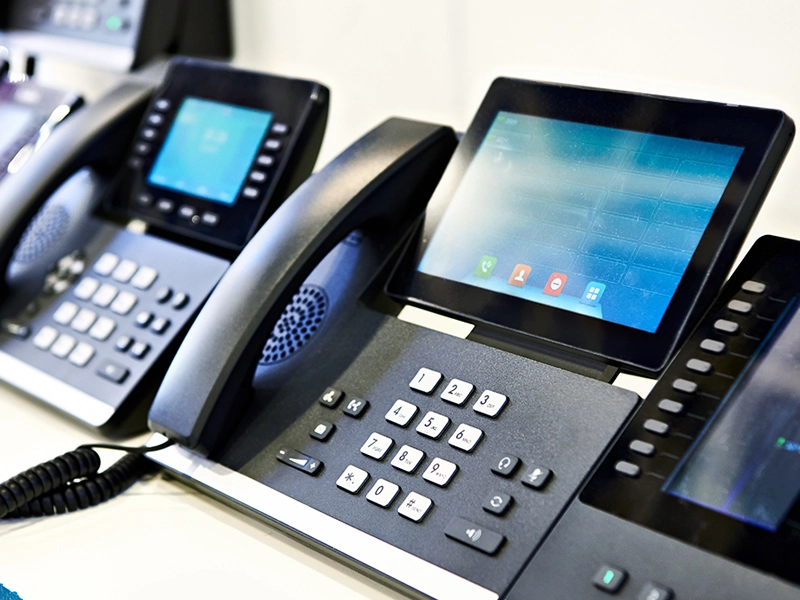
Communication is one of the most important parts of running a small business. Customers call with questions, appointments, service requests, quotes, billing concerns, and urgent needs. Employees need to transfer calls, check voicemails, work from different locations, and stay connected throughout the day.
But many small businesses are still using phone systems that were not designed for the way teams work today.
A modern VoIP phone system can help businesses communicate more clearly, reduce missed calls, improve customer experience, and connect phone communication with the rest of the company’s technology.
VoIP stands for Voice over Internet Protocol. In simple terms, it means your phone system uses an internet connection instead of relying only on traditional phone lines.
For small businesses, VoIP is not just a phone upgrade. It is a smarter way to manage communication.
SMART Solutions helps businesses connect VoIP and telecommunications with networking, security, automation, and daily business workflows so communication becomes easier to manage.
SMART takeaway
Your phone system should support how your business actually works.
VoIP helps small businesses manage calls, voicemails, routing, remote users, and customer communication with more flexibility than traditional phone systems.
Your phone system affects your customer experience
A customer may visit your website, see your services, and decide to call. What happens next matters.
If the call rings too long, goes to the wrong person, drops, or reaches a voicemail box that no one checks, the business may lose the opportunity.
Phone communication is often the first live interaction a customer has with your company. That makes your phone system part of your brand experience.
A poor phone experience can create problems such as:
- Missed calls from potential customers
- Customers waiting too long to reach the right person
- Voicemails that are not reviewed quickly
- Calls being transferred incorrectly
- No clear after-hours message
- No backup plan when the office internet or power goes down
- Employees using personal phones without a professional call process
A better phone system helps the business respond faster and look more professional.
This is especially important for small businesses, professional offices, dental practices, healthcare facilities, and general contractors that depend on quick, reliable communication every day.
What makes VoIP different from traditional phones?
Traditional phone systems often depend on physical phone lines and older equipment. VoIP uses your internet connection, network, and cloud or on-premise phone system features to manage calls.
That means your business can usually get more flexibility, easier management, and more advanced features.
VoIP can support:
- Desk phones
- Mobile apps
- Desktop softphones
- Voicemail-to-email
- Call queues
- Auto attendants
- Call forwarding
- Remote users
- Business hours and after-hours routing
- Multiple office locations
For many small businesses, these features make daily communication easier to manage.
A VoIP upgrade should not be treated as only a phone purchase. It should be planned as part of your full telecommunications and network connectivity environment.
VoIP helps reduce missed calls
Missed calls can mean missed revenue.
A customer looking for help may not leave a voicemail. They may simply call the next business. That is why call flow matters.
VoIP allows small businesses to create smarter call handling rules.
For example:
- A customer calls the main business number.
- The auto attendant greets the customer and presents clear options.
- The call routes to the right department, employee, or call queue.
- If no one answers, the call can forward to another extension or voicemail.
- The voicemail can be sent to email so the team can respond faster.
- After-hours calls can follow a separate schedule or emergency path.
This helps the business avoid depending on one person, one desk phone, or one location.
Important reminder
A phone system should not depend on one person answering every call.
With the right VoIP call flow, calls can be routed, forwarded, queued, and managed more professionally so fewer opportunities are missed.
If your business also receives leads through website forms, SEO, ads, or social media, a connected phone strategy can support your Media and Marketing efforts by improving how quickly your team responds to new opportunities.
VoIP supports remote and hybrid work
Many businesses no longer operate from one desk in one office.
Employees may work from home, travel between job sites, support multiple locations, or answer calls from mobile devices. VoIP can help keep the communication experience consistent.
With the right setup, users may be able to:
- Answer business calls from a mobile app
- Use a desktop softphone from a laptop
- Transfer calls to other team members
- Check voicemails remotely
- Keep business calls separate from personal calls
- Use the same business number from different locations
- Stay connected during travel or remote work
This is especially useful for service companies, professional offices, healthcare practices, contractors, sales teams, and businesses with employees who move between locations.

Remote and hybrid communication also depends on secure access, good device management, and reliable support. That is why VoIP should be planned together with networking and security.
Your network matters for call quality
VoIP depends on the network. That means call quality is not only about the phone provider. It is also about your internet connection, firewall, switches, Wi-Fi, cabling, and configuration.
If the network is unstable, phone calls can suffer.
Common VoIP issues include:
- Choppy audio
- Delayed voice
- Dropped calls
- One-way audio
- Phones losing registration
- Poor call quality during busy hours
- Remote users having inconsistent performance
A VoIP project should include a review of the network before deployment.
Network-first planning
Good VoIP starts with a reliable network.
Your phones, computers, Wi-Fi, cameras, and cloud tools may all share the same infrastructure. That is why VoIP planning should include network design, internet reliability, and proper configuration.
If your business has dropped calls, choppy audio, or inconsistent remote users, start with a Network & Connectivity review before replacing phones.
VoIP can make your business look more professional
Small details in communication matter.
A business phone system can create a more polished customer experience by helping callers reach the right person quickly.
Professional VoIP features can include:
- Main business greeting
- Department menus
- Business hours routing
- After-hours voicemail
- Holiday schedules
- Call forwarding rules
- Ring groups
- Call queues
- Music or messages on hold
- Voicemail-to-email notifications
These features help small businesses create a communication experience that feels organized, even with a small team.
When your phone system, website, forms, and follow-up process work together, customers get a more consistent experience from the first search to the first call. This connects directly with your digital presence and media strategy.
VoIP and cybersecurity should be planned together
Any system connected to the internet should be secured properly. VoIP is no exception.
A phone system can be vulnerable if it uses weak passwords, exposed remote access, outdated firmware, poor firewall rules, or unprotected user accounts.
Security matters because phone systems can be targeted for fraud, unauthorized access, call abuse, and service disruption.
Small businesses should protect VoIP with:
- Strong user passwords
- Secure admin access
- Proper firewall configuration
- Limited remote access
- Device updates and firmware management
- Access permissions by role
- Call restrictions where appropriate
- Monitoring for unusual activity
VoIP should not be installed as a separate system with no security review. It should be part of the business technology plan.

Security reminder
A phone system is part of your business network.
VoIP should be configured with secure access, strong passwords, firewall protection, and support planning so communication stays reliable and protected.
A secure VoIP deployment should be connected to your Security services strategy, especially if your team uses remote access, mobile apps, cloud systems, or multiple office locations.
VoIP can connect with other business systems
VoIP becomes even more valuable when it supports the rest of your business operations.
Depending on the system and configuration, VoIP may help connect communication with:
- Customer relationship management tools
- Help desk or ticketing systems
- Website lead workflows
- Email notifications
- Remote support processes
- Appointment scheduling
- Call tracking and reporting
- Multi-location communication
For example, a missed call can trigger a follow-up process. A voicemail can be sent to email. A call queue can help distribute calls between team members. A receptionist can transfer calls between locations.
The goal is not to add complexity. The goal is to make communication easier to manage.
VoIP can also support automation by helping connect missed calls, voicemail notifications, follow-up reminders, and customer communication workflows.
Signs your business may need a VoIP upgrade
Your current phone system may still work, but that does not mean it is helping the business operate efficiently.
Common signs it may be time to upgrade include:
- Customers say they have trouble reaching your team
- Employees rely on personal phones for business calls
- Voicemails are missed or checked too late
- Calls cannot be routed by department or schedule
- Your business has multiple locations but no unified phone flow
- Remote employees cannot easily answer business calls
- The current system is difficult to manage or update
- Call quality is inconsistent
- The phone system has no clear support plan
- You do not know what happens to calls after hours
If several of these sound familiar, the issue may not be your team. The issue may be the system supporting them.
A VoIP consultation can help you identify whether the issue is call routing, network performance, outdated hardware, poor configuration, or missing support.
A simple VoIP upgrade roadmap
A VoIP upgrade should be planned carefully. The goal is to improve communication without interrupting the business.
- Review the current phone system, business numbers, users, extensions, call flow, and pain points.
- Assess the network, internet connection, firewall, switches, Wi-Fi, and device readiness.
- Design the new call flow, including greetings, routing, queues, voicemail, after-hours rules, and remote user needs.
- Select the right phones, softphone options, mobile apps, and communication features for the team.
- Configure security settings, user permissions, admin access, and remote access rules.
- Deploy the system, test calls, train users, and confirm that the business can manage daily communication smoothly.
- Monitor performance and adjust the system as the business grows or call patterns change.
This process helps avoid rushed installations, unclear call routing, poor call quality, and frustrated users.
For best results, your roadmap should include VoIP planning, network readiness, security configuration, and follow-up workflows that support your daily operations.
How SMART Solutions helps with VoIP
SMART Solutions helps businesses plan, configure, and support VoIP telecommunications as part of a complete technology environment.
We do not look at phones as a separate device. We look at the network, users, business workflow, customer experience, cybersecurity, and support needs.
SMART Solutions can help with:
- VoIP phone system planning
- Call flow design
- Desk phone and softphone setup
- Mobile app configuration
- Voicemail-to-email setup
- Auto attendants and call queues
- Network readiness reviews
- Firewall and connectivity support
- Multi-location communication planning
- User training and ongoing support
A better phone system should make communication easier for your team and more reliable for your customers.
SMART Solutions approach
We help businesses build communication systems that match daily operations.
From call routing and desk phones to mobile users, network readiness, and support, SMART Solutions helps small businesses turn phone communication into a more reliable business tool.
VoIP is about more than phones
VoIP helps small businesses modernize communication, but the real value is not only in the phones themselves.
The real value is in better call handling, fewer missed opportunities, more flexible users, clearer customer communication, and stronger connection between the phone system and the business workflow.
A modern VoIP system can help your business:
- Improve customer experience
- Reduce missed calls
- Support remote and hybrid work
- Manage after-hours communication
- Route calls more professionally
- Keep business calls separate from personal phones
- Scale communication as the business grows
- Connect phones with the rest of the technology environment
Small businesses do not need a complicated phone system. They need one that works reliably, is easy to use, and supports the way the team communicates every day.
Ready to upgrade your business phone system?
SMART Solutions can help you review your current phone setup, identify communication gaps, and design a VoIP system that supports your team, customers, network, and daily operations.
Ready to get started?
Make your business easier to reach.
Start with a VoIP consultation. We will help you review your current phone system, call flow, network readiness, and communication needs.
Contact SMART Solutions to explore VoIP telecommunications for your business.