

Why Businesses Need Automation Workflows
Learn how connected automation workflows reduce repetitive work, improve follow-up and link websites, email, phones, AI and security tools for small teams.

Many small businesses lose time every day because important tasks are still handled manually. A customer submits a form, but someone has to copy the details into another system. A missed call needs follow-up, but no one remembers to check it. A manager asks for updates, but the information is spread across emails, spreadsheets, notes, and messages.
These small delays add up.
Automation helps businesses reduce repetitive work, organize information, and create more consistent processes. It does not replace the team. It helps the team focus on the work that actually needs human attention.
For small businesses, automation is not about building a complicated system. It is about finding the tasks that happen over and over again and making them easier to manage.
SMART Solutions helps businesses connect automation, AI solutions, media and marketing workflows, VoIP telecommunications, networking, and security systems into practical workflows that support daily operations.

SMART takeaway
Automation works best when it solves a real daily problem.
The goal is not to automate everything. The goal is to identify repetitive tasks, reduce manual steps, and help your team respond faster with fewer mistakes.
Automation is not just for large companies
Many small businesses assume automation is only for big companies with large budgets, custom software, and full-time operations teams.
That is no longer true.
Today, automation can be used in everyday business tools, including websites, forms, email, phone systems, calendars, task managers, CRMs, cloud platforms, security systems, and AI tools.
A small business can use automation to:
- Route new website leads to the right person
- Send internal notifications after a form submission
- Create tasks from customer requests
- Organize call follow-ups
- Schedule reminders for recurring work
- Trigger alerts from security or network events
- Prepare email drafts for review
- Connect marketing campaigns with lead follow-up
The value is not only saving time. The value is creating a process that is easier to repeat, track, and improve.
The problem with manual workflows
Manual workflows often depend on memory.
Someone has to remember to check the form inbox. Someone has to remember to call the customer back. Someone has to copy notes into a spreadsheet. Someone has to send the reminder. Someone has to tell the next person what happened.
That may work when the business is small, but it becomes harder as the business grows.
Manual workflows can create problems such as:
- Missed leads
- Slow customer follow-up
- Repeated data entry
- Confusing handoffs between team members
- Lost notes or incomplete records
- Inconsistent customer communication
- No clear visibility into what has been completed
- Employees spending time on tasks that could be simplified
Automation helps reduce these issues by giving the business a clearer process.
Website leads should not sit in an inbox
One of the best places to start with automation is the website.
When someone submits a contact form, quote request, consultation form, or service inquiry, the business should respond quickly. But many businesses still depend on someone manually checking an inbox.
A better workflow can help make sure every inquiry gets attention.
- A visitor submits a form through your website or landing page.
- The inquiry is sent to the right team member or department.
- A task is created so follow-up can be tracked.
- The customer receives a confirmation message.
- The team gets notified with the important details.
- The lead is added to the proper follow-up workflow.
This type of automation can support your Media and Marketing strategy by making sure marketing leads are handled properly after they arrive.
Important reminder
A lead is only valuable if your business follows up.
Automation can help connect forms, calls, emails, and notifications so new opportunities do not get lost in busy inboxes or manual processes.
Automation can improve customer communication
Customers expect fast, clear communication.
They may not know whether your team is busy, short-staffed, or handling multiple requests. They only know whether they received a response.
Automation can help businesses communicate more consistently without making the experience feel robotic.
For example, automation can help with:
- Form confirmation emails
- Appointment reminders
- Follow-up task creation
- Missed call notifications
- Internal escalation alerts
- Customer status updates
- Review request reminders
- Recurring service reminders
The goal is not to remove human interaction. The goal is to make sure the right person has the right information at the right time.
If your customer communication depends heavily on phone calls, automation should also connect with your VoIP and telecommunications setup.
AI and automation work better together
AI can help interpret, summarize, draft, and organize information. Automation can move that information through a workflow.
Together, they can help small businesses save time and reduce manual work.
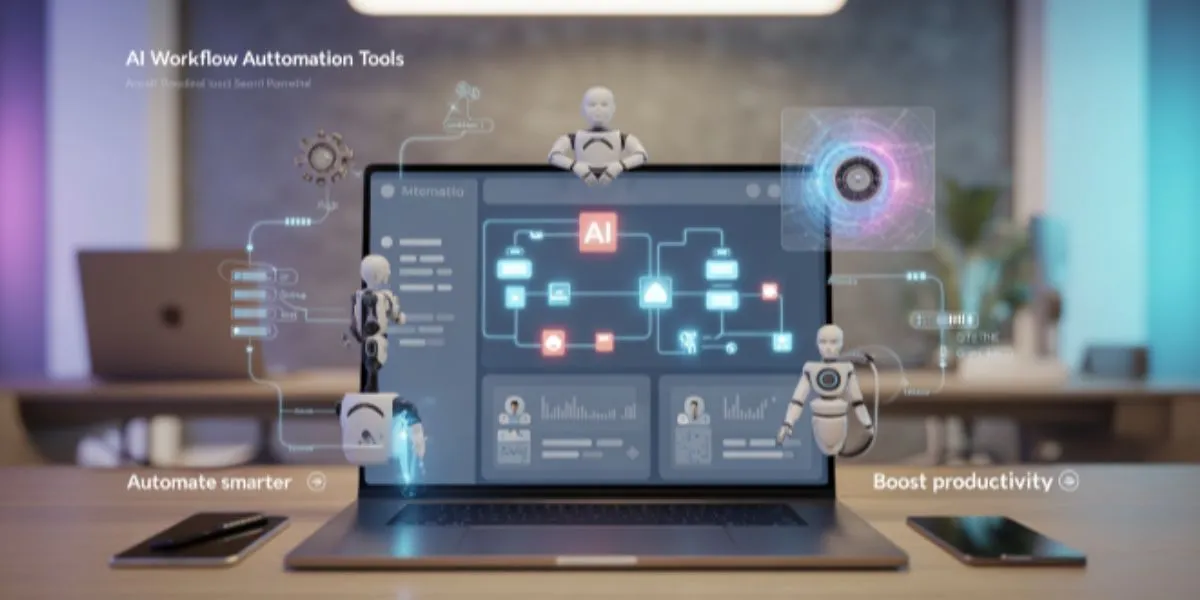
For example:
- AI can summarize a customer inquiry, while automation creates the task.
- AI can draft a follow-up message, while a team member reviews it before sending.
- AI can organize meeting notes, while automation assigns action items.
- AI can help classify requests, while automation routes them to the right person.
- AI can turn rough notes into a checklist, while automation schedules the next step.
This is where AI Solutions and automation services can work together to support real business operations.
AI + automation
AI can help understand the information. Automation can help move the process forward.
The strongest workflows use AI carefully, keep humans involved, and automate the repetitive steps that slow the business down.
Automation can support security and operations
Automation is not only for marketing or office tasks. It can also support security, maintenance, and daily operations.
For example, a business may use automation to support:
- Security camera event notifications
- Door access alerts
- Scheduled lighting routines
- Network monitoring notifications
- Backup status reminders
- Device maintenance tasks
- Recurring inspection checklists
- Internal incident response steps
When automation is connected to security systems, networking, and SMART Backup, the business can respond faster and operate with more consistency.
Smart office automation can simplify daily routines
A smart office is not just about modern devices. It is about making the work environment easier to manage.
Automation can help with daily routines like opening, closing, meetings, presentations, lighting, audio, video, and environmental controls.
For example, a smart office workflow may include:
- The team arrives and scheduled systems are ready for the workday.
- Meeting room displays, audio, or video settings are prepared for common scenarios.
- Lighting or device schedules support opening and closing routines.
- Security systems and access rules support after-hours protection.
- Maintenance or support reminders keep the environment running smoothly.
This type of automation can help professional offices, dental practices, healthcare facilities, and small businesses create a more reliable daily experience.
Automation should be planned carefully
Automation can create real value, but it should not be rushed.
A poorly designed automation can create confusion, send messages at the wrong time, duplicate tasks, expose sensitive data, or make the team rely on a process they do not understand.
Before automating, businesses should ask:
- What problem are we trying to solve?
- What task is repeated often?
- Who owns the process?
- What information is needed?
- What systems should be connected?
- What should still require human approval?
- What happens if the automation fails?
- How will the team be trained?
The best automation workflows are simple, documented, and easy to understand.
Process-first planning
Do not automate a broken process without fixing it first.
Automation works best when the workflow is clear. If the current process is confusing, automation may only make the confusion happen faster.
What businesses should not automate first
Not every task should be automated immediately.
Businesses should avoid starting with workflows where a mistake could create serious customer, financial, legal, medical, or security consequences.
Be careful with:
- Fully automated customer decisions with no human review
- Financial approvals
- Legal or compliance decisions
- Healthcare or sensitive customer information
- Security responses that need expert judgment
- Employee performance or HR decisions
- Public messages that are not reviewed
A better approach is to automate support tasks first, then expand carefully as the process becomes proven.
A simple automation roadmap
Businesses do not need to automate everything at once. A practical roadmap can make the process easier.
- Identify repetitive tasks that happen every week and slow down the team.
- Choose one workflow that is low-risk but high-value.
- Map the current process, including who does what and where information goes.
- Decide what can be automated and what still requires human review.
- Connect the right systems, such as forms, email, phone, CRM, tasks, AI, or notifications.
- Test the workflow with real scenarios before relying on it.
- Document the process and train the team.
- Review performance and improve before expanding to the next workflow.
This approach helps businesses get real results without creating unnecessary complexity.
Signs your business may need automation
Automation may be useful if your team is spending too much time on repetitive work or losing track of important follow-up.
Common signs include:
- Website leads are missed or answered late
- Employees copy the same information between systems
- Tasks are tracked in too many places
- Customers ask for updates because follow-up is inconsistent
- Managers do not have clear visibility into open requests
- Phone calls and form submissions are not connected to a workflow
- Internal procedures depend on one person’s memory
- Recurring tasks are forgotten during busy weeks
- Marketing generates leads, but operations struggles to follow up
- The business is growing, but the process is not scaling
If several of these sound familiar, automation may help your business create a more reliable system.
How SMART Solutions helps with automation
SMART Solutions helps businesses design automation workflows that are practical, secure, and aligned with real operations.
We can help with:
- Workflow automation planning
- Website form and lead automation
- AI-assisted workflows
- Missed call and communication workflows
- Security and access notifications
- Backup and maintenance reminders
- Internal task routing
- Customer follow-up systems
- Smart office routines
- Team training and documentation
We do not start with tools. We start with the way your business works.
SMART Solutions approach
We help businesses automate the right tasks for the right reasons.
From website leads and customer follow-up to AI workflows, smart office routines, and operational reminders, SMART Solutions helps build automation that supports your team instead of confusing it.
Automation should make business easier
Automation is not about adding more apps, dashboards, or complexity. It is about helping your business operate with more consistency.
The right automation can help your business:
- Respond faster
- Reduce repetitive work
- Improve customer follow-up
- Organize information better
- Support employees with clearer processes
- Connect marketing with operations
- Improve visibility into tasks and requests
- Scale daily workflows as the business grows
Small businesses do not need automation everywhere. They need automation in the places where time, consistency, and follow-up matter most.
Ready to automate smarter?
SMART Solutions can help you review your current workflows, identify repetitive tasks, and build automation that supports your business goals.
Whether you want to improve website lead follow-up, connect AI with daily operations, simplify office routines, organize customer communication, or support internal tasks, we can help you start with a practical plan.
Ready to get started?
Start with one workflow your team repeats every week.
We will help you identify what can be automated, what should still require human review, and how to connect the right systems without overcomplicating your business.
Contact SMART Solutions to explore automation workflows for your business.