

What UniFi’s New Products Mean for Small Businesses
Explore what UniFi’s expanding lineup of gateways, switches, cameras, access control, storage and communications means for small-business upgrades.
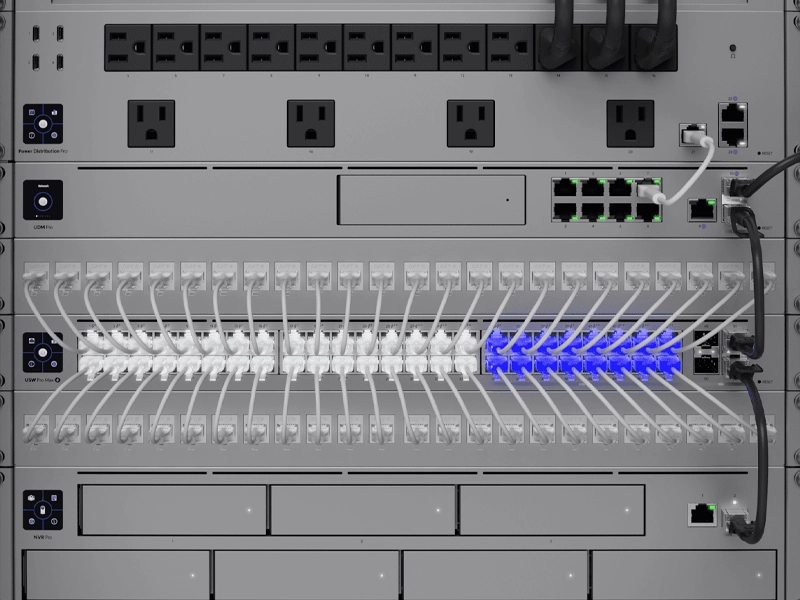
UniFi has become much more than a Wi-Fi brand. For many small businesses, UniFi now represents a complete technology ecosystem that can include wireless access points, gateways, switches, security cameras, door access, VoIP phones, network storage, and centralized management.
That matters because small businesses are no longer looking for isolated devices. They need systems that work together.
A business may need faster Wi-Fi, better camera coverage, secure remote access, improved network visibility, better phone communication, and simpler management. Buying separate products from different platforms can work, but it can also create complexity. Different dashboards, different logins, different vendors, different support paths, and different update schedules can make the environment harder to manage.
UniFi’s recent product direction is important because it shows a clear shift toward connected infrastructure: networking and connectivity, security systems, business communication, and daily operations under one platform.
SMART takeaway
UniFi is becoming a full business technology platform, not just a Wi-Fi solution.
For small businesses, the value is not only in buying new hardware. The value is in planning a connected environment where networking, security, access, cameras, and communication work together.
Why businesses are paying attention to UniFi
Small businesses want technology that is powerful enough for professional use but not overly complicated to manage. UniFi fits that need because it brings many important systems into a unified experience.
Instead of managing every system separately, a business can use UniFi to bring more visibility into the network, connected devices, cameras, users, and infrastructure.
UniFi can be especially useful for:
- Offices that need reliable Wi-Fi and wired networking
- Retail locations that need cameras, guest Wi-Fi, and secure point-of-sale connectivity
- Dental and healthcare practices that need stable connectivity and protected systems
- Warehouses that need coverage across large or difficult spaces
- Professional offices that need phones, cameras, and network management
- Multi-location businesses that want consistent technology standards
- Growing small businesses that need scalable infrastructure
The benefit is not just cleaner hardware. The benefit is simpler management and better coordination between systems.
The new direction: Wi-Fi 7 and faster business connectivity
One of the biggest areas of interest in UniFi’s newer product lineup is Wi-Fi 7.
Wi-Fi 7 is designed for higher throughput, lower latency, and better performance in environments with many connected devices. For small businesses, this matters because the number of devices on the network keeps growing.
Today, a single office may have:
- Laptops and desktops
- Mobile phones and tablets
- VoIP phones
- Security cameras
- Printers and scanners
- Smart TVs and conference room displays
- Point-of-sale systems
- Cloud-based business applications
- Guest Wi-Fi users
- Smart office or automation devices
Older Wi-Fi may still work, but it may not support the business as well as it should. Slow connections, dead zones, poor roaming, and overloaded access points can create daily frustration.
If your business is dealing with slow wireless performance, poor coverage, or too many disconnected devices, a network and connectivity assessment can help identify what needs to be improved before buying new hardware.
Network reality
New Wi-Fi hardware only works well when the network is designed correctly.
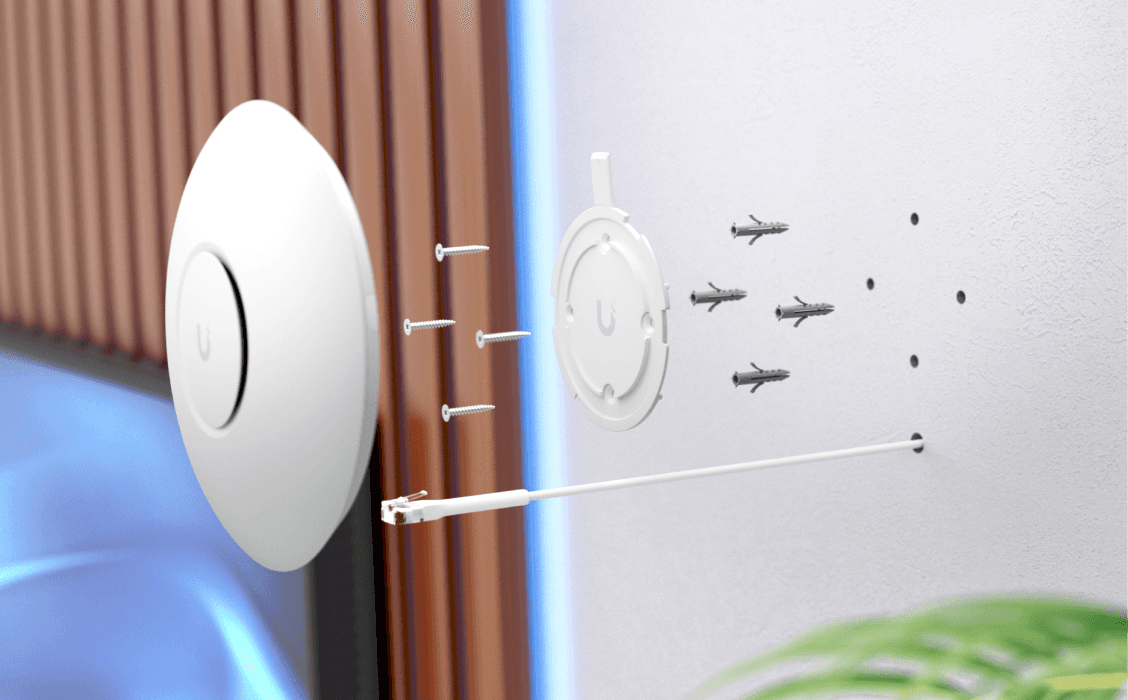
A Wi-Fi 7 access point can improve performance, but placement, cabling, switching, PoE, channel planning, VLANs, and security settings still matter.
Gateways are becoming more important
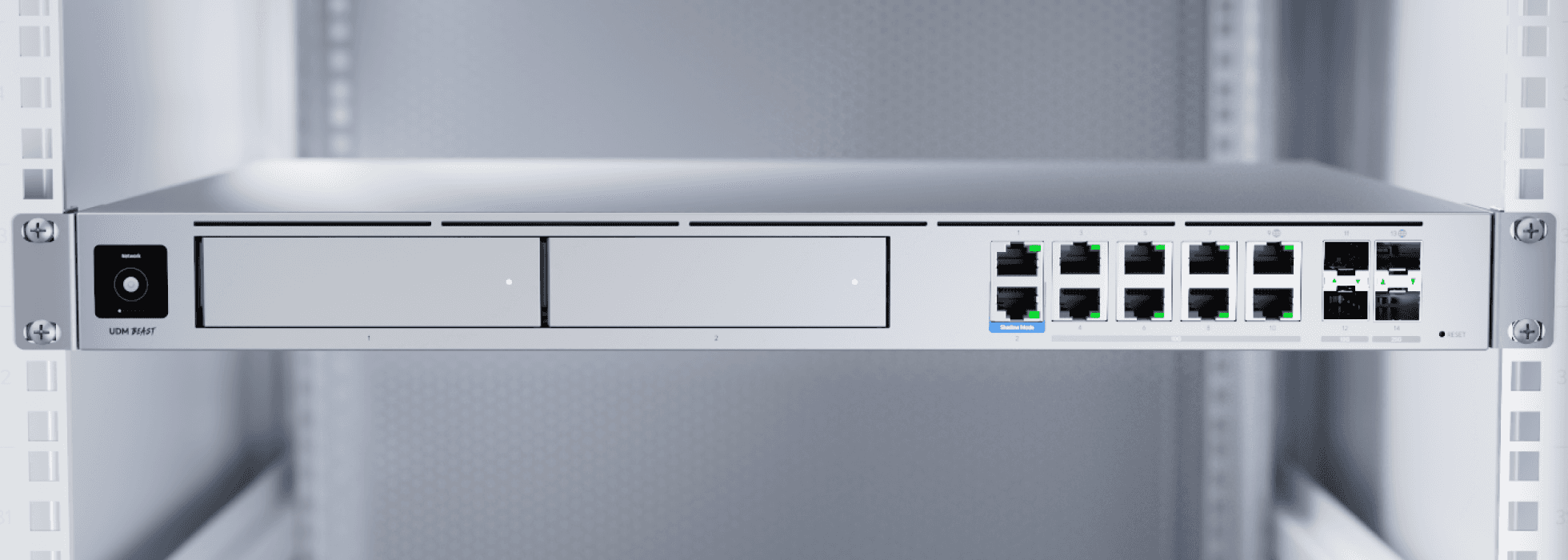
A business gateway is the front door of the network. It manages internet traffic, routing, firewall rules, VPN access, security features, and network segmentation.
As UniFi releases more powerful gateway options, small businesses have more ways to support faster internet speeds, more users, more devices, and more advanced network policies.
But a gateway should not be selected only because it is new. It should be chosen based on business needs.
A good gateway decision should consider:
- Internet speed
- Number of users
- Number of devices
- Remote access requirements
- Security features
- VPN needs
- Camera and Protect usage
- Multi-site management
- Future growth
- Support and maintenance requirements
A small office does not always need the largest gateway. A growing business with cameras, phones, guest Wi-Fi, multiple VLANs, and remote users may need more capacity.
A gateway upgrade is also a good time to review broader security and cybersecurity needs, especially if your business uses remote access, cloud applications, guest Wi-Fi, or connected cameras.
Switching and PoE power the entire environment
Switches are often overlooked because they sit in the network rack and quietly do their job. But they are critical.
UniFi switches can power access points, cameras, phones, and other devices through PoE. That means the switch is not only moving data. It is also providing power to important business systems.
When businesses add new UniFi products, switching capacity becomes important.
A switch upgrade may be needed when the business adds:
- More access points
- More security cameras
- VoIP phones
- Door access devices
- Conference room technology
- Additional workstations
- Higher-speed uplinks
- Network segmentation
- PoE-powered devices
A common mistake is upgrading access points or cameras without checking whether the switch can support the required PoE budget, port speed, uplink capacity, and network design.
Installation insight
A UniFi upgrade should include the whole path, not just the device.
Access points, cameras, and phones depend on cabling, PoE, switching, gateway capacity, and configuration. The device is only one part of the system.
UniFi Protect continues to matter for business security
Security cameras are another major part of the UniFi ecosystem.
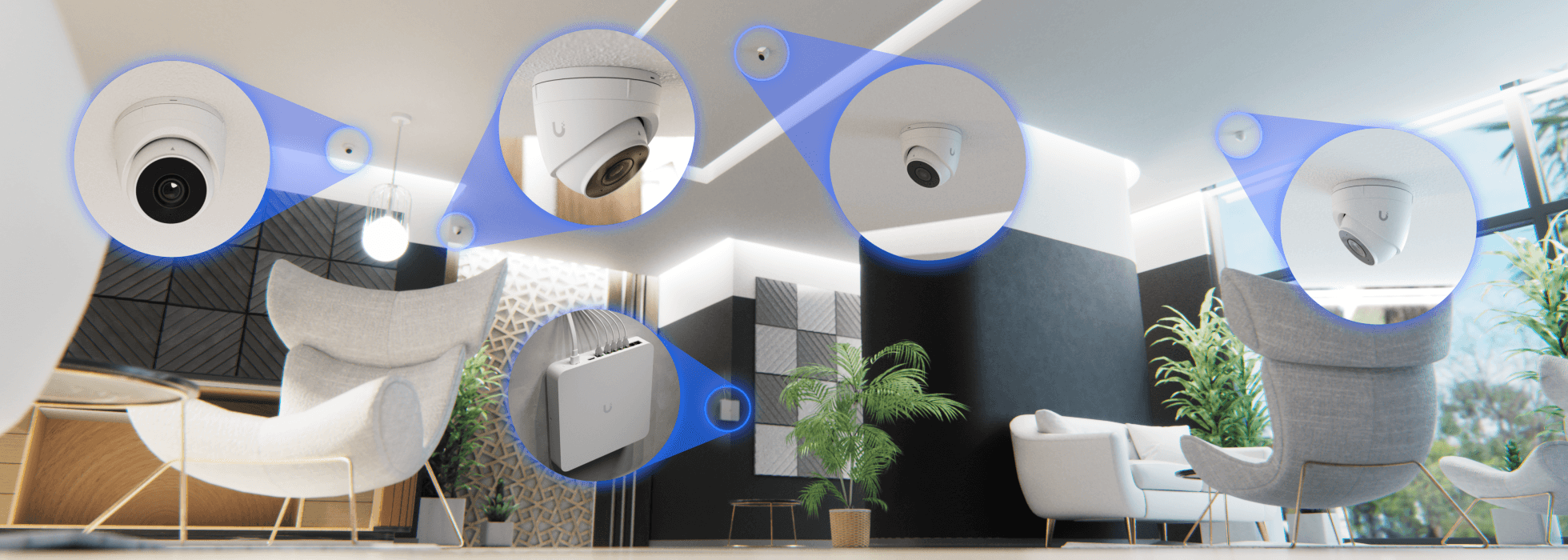
UniFi Protect can help businesses manage cameras, recordings, users, alerts, and viewing access through a centralized platform. For small businesses, that can make security easier to manage than juggling separate camera systems and apps.
But cameras should be planned carefully.
A business camera system should consider:
- Camera placement
- Lighting conditions
- Indoor and outdoor coverage
- Video retention needs
- Storage capacity
- Network bandwidth
- Remote viewing security
- User permissions
- Maintenance and updates
- Compliance or privacy needs
New cameras can bring better image quality, smarter detection, and cleaner management, but the most important part is still design.
A camera in the wrong location will not solve the problem. A camera without enough storage may not keep footage long enough. A camera system without secure access controls can create unnecessary risk.
For businesses that need stronger visibility, camera planning should be part of a complete security system strategy, not a separate device purchase.
UniFi Access can help control who enters important areas
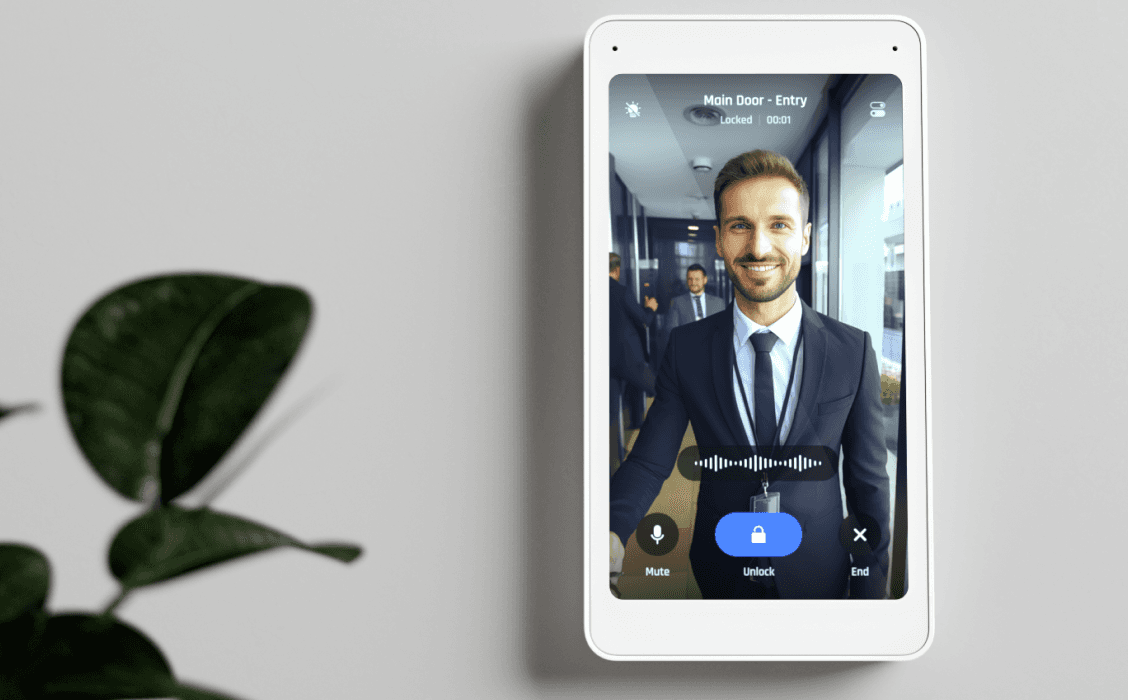
Many businesses are also looking beyond cameras and Wi-Fi into door access control.
Access control helps manage who can enter specific doors, offices, storage areas, server rooms, staff-only spaces, or restricted areas. When access control works with cameras and networking, the business gets better visibility and control.
Access control can help with:
- Employee entry management
- Restricted room access
- Visitor control
- After-hours access rules
- Multi-door management
- Audit history
- Lost key reduction
- Better control over sensitive spaces
For small businesses, access control is not only about security. It is also about reducing operational headaches.
Door access works best when it is connected to the business network, camera coverage, and user management. SMART Solutions can help businesses plan access control as part of a broader security and connectivity strategy.
UniFi Talk and business communication
UniFi’s ecosystem also includes communication tools, including VoIP phone options.
For small businesses, phones are part of the technology environment. They depend on network reliability, internet quality, firewall configuration, and user planning.
A business phone system should support:
- Clear call routing
- Desk phones or softphone options
- Voicemail handling
- After-hours schedules
- Call groups or queues
- Remote users
- Professional greetings
- Reliable network performance
Whether a business uses UniFi Talk or another VoIP platform, the lesson is the same: communication should be planned with the network.
A phone system installed on a weak network can create dropped calls, choppy audio, and frustrated customers.
If phone quality, call routing, or remote communication are becoming issues, review your VoIP and telecommunications setup together with your network.
Storage and local control are becoming more important
As cameras, backups, files, and business systems grow, storage planning becomes more important.
UniFi’s movement into network storage shows how businesses are thinking about local data, video retention, and centralized systems.
Storage decisions should be based on practical questions:
- How much video footage needs to be retained?
- How many cameras will be recording?
- What happens if a drive fails?
- Who can access stored data?
- How is important data backed up?
- What information should stay local?
- What needs cloud backup or off-site protection?
Storage is not only about capacity. It is about reliability, access, retention, and recovery.
For business continuity, storage planning should also connect with your backup strategy. Learn more about SMART Backup if you want a stronger plan for protecting important business data.
Storage reminder
More storage does not automatically mean better protection.
Businesses should plan storage around retention, backups, permissions, redundancy, and recovery. A device can store data, but a plan protects it.
New UniFi products should be planned as a system
The biggest mistake businesses can make with new technology is buying devices one at a time without a plan.
A new access point may improve Wi-Fi. A new gateway may improve routing. A new camera may improve visibility. A new switch may add PoE. But the real improvement happens when these devices are designed together.
A connected UniFi environment should consider:
- Business goals, such as better Wi-Fi, more reliable cameras, stronger security, or easier management.
- Current infrastructure, including cabling, internet service, racks, switches, gateways, and power.
- Device needs, including access points, cameras, phones, door access, computers, printers, and guest devices.
- Network design, including VLANs, guest Wi-Fi, firewall rules, remote access, and user permissions.
- Performance requirements, including coverage, bandwidth, PoE budget, uplinks, and storage needs.
- Security requirements, including updates, admin access, passwords, MFA, remote management, and monitoring.
- Documentation and support, so the business knows what was installed, how it is configured, and who supports it.
This approach helps prevent a technology upgrade from becoming another disconnected system.
A complete plan may include networking, security, VoIP, and even automation if the business wants smarter office routines or connected device control.
Warning signs your business may need a UniFi upgrade
A UniFi upgrade may make sense if your current technology is slowing down your team, creating support problems, or limiting growth.
Common signs include:
- Wi-Fi is slow or inconsistent in important areas
- Employees complain about dropped connections
- Guest Wi-Fi is mixed with business devices
- Cameras are hard to access or unreliable
- The network rack is messy or undocumented
- Switches are out of ports or PoE capacity
- Remote access is not properly secured
- Phones have call quality issues
- There is no clear backup or storage plan
- Multiple vendors manage different systems with no coordination
If several of these sound familiar, the issue may not be one device. The issue may be the way the environment was planned.
Why professional setup matters
UniFi products are known for being approachable, but business installations still require planning.
A professional installation helps avoid common mistakes like poor access point placement, unmanaged guest networks, weak passwords, exposed remote access, insufficient PoE, overloaded switches, poor camera angles, or undocumented settings.
Professional planning can help with:
- Network assessment
- Wi-Fi coverage planning
- Gateway and switch selection
- PoE budget calculation
- Camera placement
- Access control planning
- VLAN and firewall configuration
- Secure remote access
- User permissions
- Documentation and support
The goal is not only to install the product. The goal is to make sure the system supports the business every day.
SMART Solutions approach
We help businesses choose the right UniFi products for the right reasons.
SMART Solutions reviews your space, users, devices, cameras, network needs, and growth plans before recommending UniFi hardware. The best product is the one that fits your environment.
A simple UniFi upgrade roadmap
A UniFi project should start with assessment, not shopping.
- Review the current network, internet service, cabling, switches, gateway, Wi-Fi coverage, cameras, and connected devices.
- Identify the business problems, such as weak Wi-Fi, unreliable cameras, poor guest access, slow speeds, or limited visibility.
- Plan the system design, including access points, switches, gateway, cameras, storage, phones, access control, and network segmentation.
- Select the right UniFi products based on performance, capacity, PoE, coverage, storage, and budget.
- Install and configure the environment with secure passwords, user roles, updates, remote access rules, and documented settings.
- Test coverage, speed, camera views, device performance, phone quality, and remote access before considering the project complete.
- Train users and create a support plan so the business knows how to manage the system going forward.
This process helps businesses get more value from new UniFi products and avoid costly guesswork.
How SMART Solutions helps with UniFi
SMART Solutions helps businesses design, install, configure, and support UniFi environments as part of a complete technology plan.
We can help with:
- UniFi network assessments
- Wi-Fi coverage planning
- Gateway and firewall configuration
- Switching and PoE planning
- UniFi Protect camera systems
- Access control planning
- Guest Wi-Fi and VLAN setup
- Remote access security
- Network documentation
- Ongoing support and troubleshooting
UniFi can be a powerful platform for small businesses, but it works best when it is planned around real business needs.
Business-first technology
New products are only valuable when they solve real problems.
SMART Solutions helps businesses turn UniFi hardware into a reliable system for networking, security, cameras, access, communication, and daily operations.
Should your business upgrade now?
New UniFi products can be exciting, but not every business needs to replace everything immediately.
An upgrade makes sense when the current environment is holding the business back, creating risk, or making daily operations harder.
Before upgrading, ask:
- Is our Wi-Fi reliable in every important area?
- Do we have enough PoE and switching capacity?
- Are our cameras positioned and stored correctly?
- Is guest Wi-Fi separated from business devices?
- Is remote access secure?
- Are users and permissions properly managed?
- Do we have documentation for our network?
- Can our current system support business growth?
If the answer is no to several of these questions, a UniFi upgrade may be a smart next step.
Ready to review your UniFi environment?
SMART Solutions can help you evaluate your current network, identify weak points, and plan the right UniFi upgrade for your business.
Whether you need better Wi-Fi, stronger switching, a new gateway, cameras, access control, or a complete network redesign, we can help you choose the right solution and configure it properly.
Ready to get started?
Build a UniFi system that fits your business.
Start with a network assessment. We will help you understand what is working, what needs improvement, and which UniFi products make sense for your environment.
Contact SMART Solutions to explore UniFi networking, security, and connected business solutions.