

Business Email Compromise: A 10-Step Prevention Checklist for Small Businesses
Learn how small businesses can reduce business email compromise risk with payment verification, phishing-resistant MFA, email authentication, account reviews, and response planning.
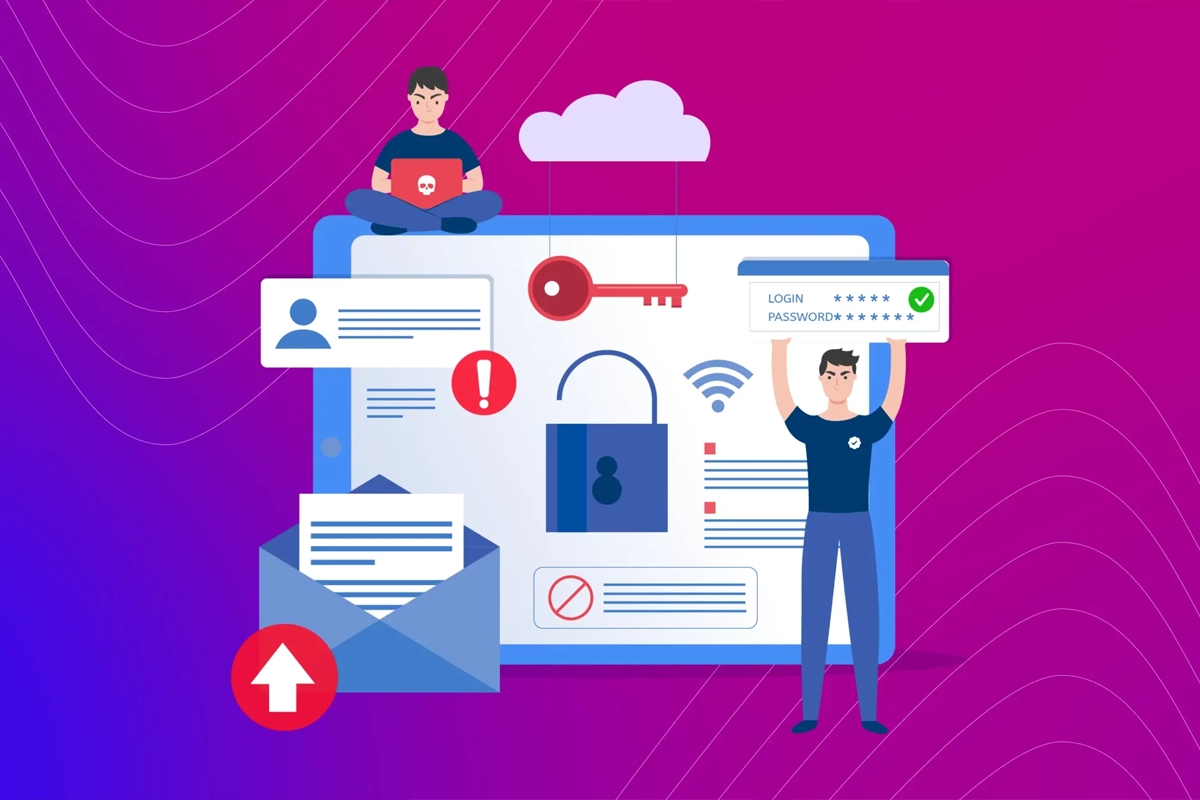
A fraudulent payment request does not need to look obviously fake to be dangerous.
It may arrive in a real email thread. It may appear to come from a vendor your accounting team already knows. It may use the name of an executive, attorney, customer, title company, supplier, or employee. It may even come from a legitimate mailbox that an attacker has already compromised.
That is what makes business email compromise, or BEC, different from the stereotypical spam message.
The FBI describes BEC as a sophisticated scam that targets businesses and individuals involved in legitimate transfers of funds. Attackers may spoof addresses, steal credentials, compromise real email accounts, study invoices and conversations, and then insert a fraudulent request at the moment it looks most believable.
Source: FBI — Business Email Compromise
The FBI’s 2025 Internet Crime Report, released in 2026, continues to identify compromised corporate email as one of the costly tactics used by scammers. That makes BEC a current operational risk—not just an old phishing example.
Source: FBI — 2025 Internet Crime Report release
SMART Solutions provides Cybersecurity Protection focused on devices, access, network exposure, and practical risk reduction. A Network & Security Assessment can also help identify access, configuration, device, and technology gaps that should be prioritized.

SMART takeaway
Do not make one email responsible for approving money.
The strongest BEC defense combines secure accounts with a business process that independently verifies payment changes, sensitive requests, and unusual instructions before anyone acts.
Quick answer: how can a small business reduce BEC risk?
A practical BEC prevention plan should include these ten controls:
- Verify payment changes through a second trusted channel.
- Require strong MFA on email and administrative accounts.
- Use phishing-resistant authentication where available.
- Configure SPF, DKIM, and DMARC for the company domain.
- Protect and separate privileged email administration.
- Review mailbox forwarding, delegation, and suspicious rules.
- Train staff around real business workflows, not only generic phishing examples.
- Give employees an easy way to report suspicious messages.
- Define an immediate response plan for suspected compromise or fraudulent transfers.
- Review the controls regularly as vendors, employees, domains, and payment processes change.
No single control eliminates BEC.
The goal is to make the fraud difficult at several different points: account access, sender impersonation, employee decision-making, financial approval, and incident response.
What business email compromise actually looks like
BEC can begin in more than one way.
The FBI describes several common patterns, including:
- Spoofed email accounts or lookalike domains
- Spearphishing designed to steal credentials
- Malware or account compromise that gives attackers access to legitimate business communications
- Fraudulent requests for payment, gift cards, account changes, or sensitive information
Source: FBI — Business Email Compromise
A small business should plan for at least two broad scenarios.
The second scenario is especially important because an employee cannot rely only on checking whether the sender address is familiar.
A legitimate account can still be used maliciously after compromise.
1. Verify payment and banking changes outside the email thread
The most important control is procedural.
If an email requests a change to:
- Bank account details
- Wire-transfer instructions
- ACH information
- Payment destination
- Vendor remittance details
- Payroll direct-deposit information
- Gift-card purchases
- Large or unusual purchases
verify the request through a channel that does not depend on the message itself.
The FBI recommends verifying payment and purchase requests in person when possible or by calling the person using trusted contact information. It also recommends verifying any change in account number or payment procedure with the person making the request.
Source: FBI — Business Email Compromise
Do not call a phone number introduced only inside the suspicious email.
Use a known vendor record, signed contract, existing contact database, official website, or a previously verified number.
Payment rule
A changed bank account should create a verification event.
Treat new payment instructions as a change to a controlled business process, not as an ordinary email request.
2. Require MFA on business email
A stolen password should not be enough to enter a business mailbox.
CISA recommends requiring MFA wherever possible and specifically identifies email, file storage, remote access, administrative accounts, and employees handling sensitive data as important priorities.
Source: CISA — Require Multifactor Authentication
Start with accounts that create the greatest business impact if compromised:
- Email administrators
- Global or tenant administrators
- Executives
- Accounting and finance staff
- Payroll users
- Employees who approve payments
- Remote-access administrators
- Users with access to sensitive customer or employee information
Then expand MFA consistently to the rest of the workforce instead of leaving unprotected exceptions that attackers can target.
3. Prefer phishing-resistant MFA where the platform supports it
Traditional MFA is better than password-only access, but authentication methods are not equally resistant to phishing.
CISA advises businesses to aim for phishing-resistant MFA and ranks security keys among the strongest widely available options.
Source: CISA — Require Multifactor Authentication
Passkeys and FIDO/WebAuthn-based security keys can reduce the risk that an employee types a reusable password or code into a fake sign-in page.
Our phishing-resistant MFA and passkeys guide explains how passkeys, hardware security keys, enrollment, recovery, and legacy exceptions fit into a small-business rollout.
For BEC prevention, prioritize stronger authentication for the people who can change email settings, approve financial transactions, or access sensitive business information.
4. Protect your domain with SPF, DKIM, and DMARC
Account security helps protect real mailboxes.
Email authentication helps receiving mail systems evaluate whether a message claiming to come from your domain is authorized.
The FTC recommends that businesses using their own domain configure three email-authentication technologies:
- SPF — identifies mail servers authorized to send on behalf of the domain.
- DKIM — adds a cryptographic signature that receiving systems can verify.
- DMARC — connects authentication results with the visible From domain and provides policy/reporting options.
Source: FTC — Cybersecurity for Small Business
These controls matter because scammers may try to impersonate your domain when targeting employees, customers, vendors, or partners.
But email authentication is not a complete BEC solution.
SPF, DKIM, and DMARC do not prevent every lookalike-domain attack, and they do not automatically make a legitimately compromised mailbox safe.
Treat domain authentication as one layer in a larger plan.
5. Separate and protect privileged email administration
The account that reads ordinary email should not automatically be the account with the broadest administrative power.
Review who can:
- Create or delete users
- Reset authentication methods
- Change domain settings
- Create forwarding policies
- Assign mailbox access
- Change anti-phishing or spam settings
- Modify security policies
- Access audit or sign-in information
Reduce unnecessary administrator access and use stronger authentication for privileged accounts.
This matches the broader security principle of limiting access to what each person actually needs.
SMART Solutions’ Cybersecurity Protection service is positioned around access risk, device protection, business network awareness, and practical security recommendations rather than treating cybersecurity as one product or one setting.
6. Review forwarding, mailbox delegation, and suspicious rules
An attacker who gets into a mailbox may try to maintain visibility into future messages or quietly route information elsewhere.
Review:
- Automatic forwarding to external addresses
- Unexpected inbox rules
- Rules that hide, delete, archive, or redirect financial messages
- Unexpected delegates or mailbox permissions
- Unknown recovery addresses or authentication methods
- Unrecognized connected applications where the platform exposes them
CISA’s secure configuration baseline for Exchange Online disables automatic forwarding to external domains by default because adversaries can use forwarding rules to maintain access to or exfiltrate email content.
Source: CISA — Exchange Online Secure Cloud Business Applications baseline
That specific baseline is written for Microsoft Exchange Online environments, but the operational lesson is broader: businesses should know where email is being forwarded and why.
Do not remove legitimate workflows blindly. Document approved exceptions and review them periodically.
7. Train employees around the transactions attackers want
Generic advice such as “do not click suspicious links” is useful, but BEC training should also reflect how your business actually moves money and information.
Train employees to slow down when a message involves:
- A new bank account
- An urgent wire
- A last-minute invoice change
- A confidential request from an executive
- Gift cards
- Payroll changes
- Tax documents
- Customer or employee personal information
- A request to bypass the normal approval process
NIST’s small-business phishing guidance recommends verifying urgent requests through known contact information rather than contact details supplied by the suspicious message.
Source: NIST — Phishing guidance for small businesses
The FTC similarly recommends calling a vendor, colleague, or client using a number you know to be correct when you are unsure about an email request.
Source: FTC — Cybersecurity for Small Business
The best training connects security behavior to the exact moments when an employee has authority to send money, change account details, or disclose sensitive information.
8. Make suspicious-email reporting easy
Employees are more likely to report a suspicious message when they know exactly what to do.
Define a simple reporting path such as:
- Stop. Do not reply, click, pay, or continue the transaction.
- Report. Send the message through the approved security/reporting process.
- Verify. Contact the supposed sender through a known channel if the request affects business operations.
- Escalate. Immediately involve management, finance, or IT if credentials, money, or sensitive information may be exposed.
Do not create a culture where employees are afraid to report that they clicked something.
Fast reporting gives the business more time to change credentials, review sessions, inspect related messages, contact financial institutions, and warn other employees.
9. Build a BEC incident-response checklist before an incident
If a fraudulent transfer or account compromise is suspected, the first minutes should not be spent deciding who has authority to act.
Your response plan should identify:
- Who can contact the bank or financial institution
- Who can suspend or reset a compromised email account
- Who can review sign-ins, sessions, mailbox rules, and delegates
- Who can notify management and affected employees
- Who can contact customers or vendors if impersonation is involved
- Who documents the timeline and transaction details
- Who reports the incident to law enforcement or insurers when appropriate
The FBI says BEC victims should contact their financial institution immediately, request that it contact the receiving financial institution, and report the incident to IC3.
Source: FBI — Business Email Compromise
The FTC also recommends reporting spoofing or phishing incidents and notifying customers when scammers are impersonating the business.
Source: FTC — Cybersecurity for Small Business
The faster the company can move from suspicion to coordinated action, the less time the attacker has to continue using the same account or payment path.
10. Review BEC controls whenever the business changes
Email security is not a one-time setup.
Review the process when:
- An employee joins or leaves
- Accounting responsibilities change
- A new bank account is opened
- A vendor changes payment information
- The company changes email providers
- A new domain or marketing platform begins sending email
- Administrative roles change
- Remote access is added
- A security incident exposes weaknesses in the existing process
A Network & Security Assessment can help businesses review the broader technology environment, including users, access points, devices, network exposure, and practical security gaps that may affect the email-security plan.
The recent patch-management guide is also relevant because compromised accounts and phishing are not the only entry paths attackers use; maintaining endpoints, browsers, applications, and network devices remains part of the larger security foundation.
A simple BEC approval policy for small teams
A small business does not need a complicated procurement department to improve payment security.
A basic policy can be:
Example control
No payment-account change is approved from email alone.
Any new bank account, wire instruction, ACH destination, payroll change, or unusual payment request must be independently verified using an existing trusted contact method before funds are released.
Then decide:
- Which transactions require two people
- Which dollar amounts require management approval
- How vendor contact information is stored
- How a verified account change is documented
- What happens when the request is urgent
- Who can override the process, if anyone
The important part is consistency.
Attackers benefit when an employee believes urgency is a valid reason to bypass the normal process.
Questions to ask during a business email security review
Use these questions to expose gaps before a real incident does:
- Does every business mailbox require MFA?
- Which users still rely on weaker authentication methods?
- Are privileged email administrators clearly identified and limited?
- Are SPF, DKIM, and DMARC configured for every domain that sends business email?
- Do we know which third-party platforms are authorized to send on our behalf?
- Can employees change payment information based on email alone?
- How are wire, ACH, payroll, and vendor changes independently verified?
- Can external forwarding be created without review?
- Do we periodically review mailbox delegates and forwarding rules?
- Do employees know where to report a suspicious message?
- Who contacts the bank if a fraudulent payment is suspected?
- Who can quickly suspend or secure a compromised mailbox?
- Do customers and vendors know how to verify unusual messages that appear to come from us?
Business email security is both technical and operational
BEC prevention fails when a company treats it only as a spam-filter problem.
Technical controls matter:
- MFA
- Phishing-resistant authentication
- Email authentication
- Administrative access control
- Forwarding and mailbox-rule review
- Endpoint and software maintenance
But the financial process matters just as much:
- Independent verification
- Separation of duties
- Approval thresholds
- Trusted contact information
- Fast incident escalation
SMART Solutions can help businesses review access, devices, network exposure, and practical security gaps through Cybersecurity Protection and Network & Security Assessment.
If your business relies on email for invoices, banking changes, payroll, customer data, or vendor communication, contact SMART Solutions to review the security controls around those workflows.